
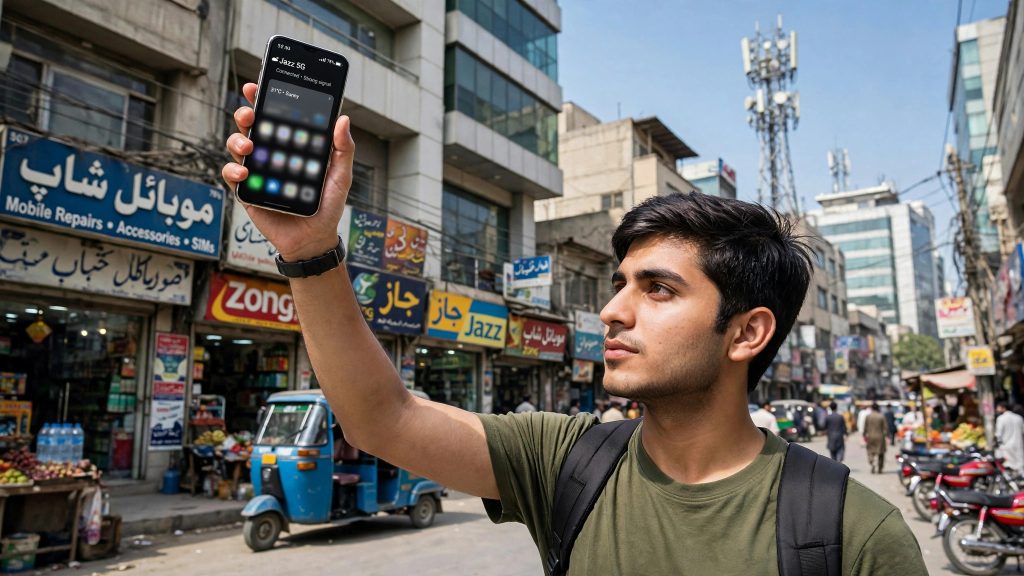
5G in Pakistan is no longer a future promise. On 20 October 2026, IT Minister Shaza Fatima Khawaja confirmed at the Global Digital & AI Summit in Seoul that 5G services are now live at more than 1,700 sites across 24 major cities, with average speeds of 130 Mbps being recorded.
That is big news — but it does not automatically mean your phone will show a 5G signal today. Your phone model, your SIM, your settings, and your package all play a part. This guide walks you through each check, step by step, so you can find out in about five minutes whether you can actually use 5G.
How Pakistan Got Here: The Spectrum Auction
This rollout became possible after Pakistan’s largest-ever spectrum auction in March 2026, when 480 MHz of spectrum was sold for $509 million. That single auction lifted the total spectrum held by operators from 274 MHz to 754 MHz — almost three times more airwaves than before.
According to reports of the auction results, the spectrum was divided like this:
| Operator | Spectrum won in March 2026 auction (reported) |
|---|---|
| Jazz | 190 MHz |
| Ufone | 180 MHz |
| Zong | 110 MHz |
| Total | 480 MHz |
The wider improvement is already visible beyond 5G: nationwide download speeds are up 68.1% over the last two years, and Pakistan’s telecom subscribers have crossed 200 million.
One Honest Warning Before You Start
The minister confirmed the number — 24 major cities — but no official city-by-city list has been published by the government or the operators so far. Coverage is also switched on site by site, so even inside a “5G city,” one neighbourhood may be covered while another is not.
That means nobody can honestly tell you “your city is on the list, so you definitely have 5G.” The only reliable test is the one in this guide: check your own phone, in your own area, with your own SIM.
What You Need for 5G: The Four Requirements
Before the steps, it helps to know what you are checking. You need all four of these:
- A 5G phone. A 4G phone can never connect to 5G, no matter what settings you change.
- Coverage in your exact area. A live 5G site must be serving your location.
- 5G switched on in settings. Many phones ship with 5G turned off or set to 4G-preferred to save battery.
- A SIM and package that allow it. Your SIM must be in working order, and you may need to check whether your current bundle carries over to 5G or your operator expects you to activate a 5G bundle.
Step 1: Check If Your Phone Supports 5G
On Android:
- Open Settings and tap About phone.
- Look at your exact model name and number.
- Search that exact model on the manufacturer’s official website and check the Network section of its specifications. It must say 5G (sometimes written as “NR”).
- A shortcut: if your phone’s box or spec sheet only lists 4G/LTE bands, it is a 4G-only phone.
On iPhone:
- Go to Settings → General → About and note your model name.
- Check that model on Apple’s official specifications page. Only models with 5G listed under cellular can use 5G.
- If your iPhone is an older 4G-only model, no setting or SIM change will make it 5G-capable.
Do not trust a “5G” sticker on a market-bought phone cover or a seller’s word — always verify the exact model number.
Step 2: Turn On 5G in Your Settings
On Android (menus vary slightly by brand):
- Open Settings → Network & Internet (on Samsung: Connections).
- Tap SIMs or Mobile network, then your active SIM.
- Tap Preferred network type.
- Select the option that includes 5G — usually written as 5G/4G/3G/2G (auto) or 5G preferred.
- Also make sure Mobile data is switched on.
On iPhone:
- Go to Settings → Mobile Data → Mobile Data Options.
- Tap Voice & Data.
- Choose 5G Auto (recommended — it saves battery by using 5G only when it helps) or 5G On (always uses 5G where available).
- Turn on Data Mode → Allow More Data on 5G if you want full-speed downloads and high-quality streaming over 5G.
After changing these settings, restart the phone once. Then walk to an open area and look at the signal icon: if you are in coverage, it should switch from 4G/LTE to 5G.
Step 3: Check Your SIM and Package
If your phone supports 5G and the settings are right but you still see no 5G signal, check these two things:
- Your package: Open your operator’s official app (My Jazz, My Zong, My Ufone, or My Telenor) and check your active bundle. Operators handle 5G differently — your existing 4G package may carry over automatically, or your operator may offer separate 5G bundles. The app is the only place with your account’s real answer, so do not rely on screenshots circulating on social media.
- Your SIM: If everything else checks out and 5G never appears in a covered area, visit your operator’s franchise and ask them to test or replace the SIM. SIM replacement at a franchise is routine and is the standard fix when a SIM itself is the problem.
Step 4: Run a Speed Test
Seeing the 5G icon is only half the story — test what it delivers:
- Stand in one spot (speeds change as you move).
- Open any reputable speed-test app or website and run a download/upload test.
- Note the result, then temporarily switch your preferred network type back to 4G and test again in the same spot.
- Compare. The minister quoted average speeds of 130 Mbps across live 5G sites, but your result will depend on your area, your phone, and how busy the network is at that hour. Treat 130 Mbps as a national average, not a guaranteed figure.
Still Seeing 4G? The Usual Reasons
- Your phone is 4G-only. The most common reason of all — check Step 1 again with the exact model number.
- Your immediate area is not covered yet. Sites are being added in phases; a covered city does not mean every street is covered.
- 5G is off or set to 4G-preferred in the preferred network type setting.
- Your phone is conserving battery. Some phones drop to 4G when the battery is low or battery-saver mode is on.
- You are indoors in a weak spot. Thick walls and basements weaken high-capacity signals first; test again near a window or outside.
FAQs
Q: Which cities have 5G in Pakistan?
The IT Minister confirmed on 20 October 2026 that 5G is live across 24 major cities at more than 1,700 sites, but an official city-by-city list has not been published yet. Because coverage is activated site by site, the practical test is your own phone: if it shows the 5G icon in your area after the checks in this guide, you are covered.
Q: Do I need a new SIM for 5G?
Not necessarily — start with the checks in this guide. If your phone supports 5G, the settings are correct, and you are in a covered area but still never see a 5G signal, visit your operator’s franchise and ask them to test your SIM or replace it. That is the standard next step when the SIM itself is the blocker.
Q: Will my existing 4G package work on 5G?
It depends on your operator and your specific bundle — some packages carry over, while operators may also offer separate 5G bundles. Check your active package inside your operator’s official app (My Jazz, My Zong, My Ufone, My Telenor) rather than trusting screenshots shared on social media, because bundle terms change frequently.
Q: How fast is 5G in Pakistan, really?
The IT Minister quoted average speeds of 130 Mbps across live 5G sites in October 2026. Your own speed will vary with your location, phone model, and network load — run a speed test in your own area, as shown in Step 4, to see what you actually get.
Sources
- https://mettisglobal.news/Pakistan-expands-5G-to-24-cities-after-509m-spectrum-auction-64364
- https://thepakistanconnect.com/5g-reaches-more-cities-20-oct/