
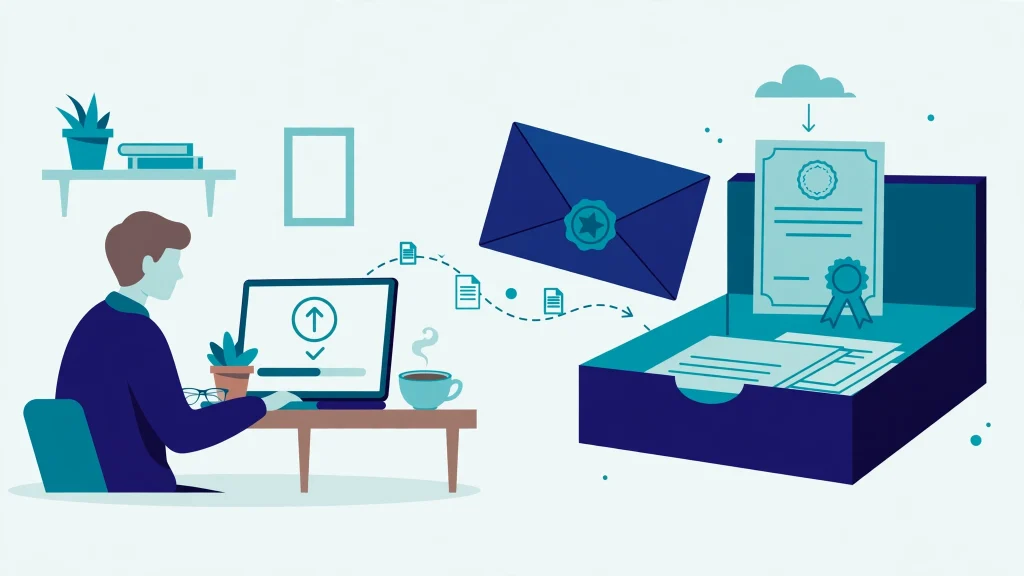
Getting a document attested at the Ministry of Foreign Affairs (MOFA) used to mean standing in long queues, travelling to an office in another city, and sometimes paying a middleman just to reach the counter. That has finally changed. MOFA has launched an online attestation system that lets you apply from home, upload your documents on an official portal, and receive an electronic certificate by email. This guide explains what the new service covers, which documents you can submit, the verifications you must finish first, and every step of the application, so you can complete the whole process without an office visit in most cases.
What Changed: Attestation Without the Office Visit
The new digital attestation service became operational on 12 October 2026. MOFA confirmed the new workflow through an official circular dated 14 October 2026 (circular No. Dir (CA&OP)/2026-Attest). The service operates through MOFA headquarters in Islamabad and its liaison offices in Lahore, Karachi, Peshawar, Quetta and Gujrat, but for most applicants those offices are now only the processing point behind the scenes, not a place you have to visit.
Under the new system, you register online, submit your documents electronically, and receive updates on your application as it moves through review. Once the information and supporting documents are verified and the formalities are complete, MOFA issues an electronic attestation certificate, an e-Certificate, and delivers it to your registered email address. You can download it and keep it for the university, employer, embassy or other organisation that asked for it.
MOFA has also directed its own officers to encourage applicants to submit documents electronically, because the aim of the system is better convenience, transparency and service delivery. There is one honest exception: where a document needs additional physical verification, or in exceptional cases depending on the nature of the application, you may still be asked to appear in person. For the large majority of routine applications, though, the office visit and the queue are gone.
General Attestation vs Apostille: Which One Do You Need?
The portal offers two services, and choosing the wrong one can waste your time and fee, so understand the difference before you apply.
General attestation is the standard service. It confirms the authenticity of an eligible document, and it is what most foreign embassies, employers and authorities ask for when they simply want MOFA to verify that a document is genuine.
Apostille certification is a single certificate used for documents that are going to countries that accept the Hague Apostille Convention. Pakistan joined that convention, and it entered into force for Pakistan on 9 March 2023. For convention countries, this one certificate replaces the longer chain of attestations that was needed before, and it can be presented directly to the foreign authority.
The rule for choosing is simple: select the service that the foreign authority, university, employer or organisation requesting your documents actually requires. If they ask for an apostille and the destination country accepts the convention, choose apostille. If they ask for ordinary MOFA attestation, choose general attestation. When you are not sure, ask the requesting organisation first, because MOFA will process whichever service you select.
Which Documents Can You Get Attested Online?
The new portal covers a wide range of documents across five main groups:
- Educational documents: university degrees, transcripts, matriculation and intermediate certificates, and diplomas.
- Personal documents: birth certificates, marriage certificates, death certificates, and family registration certificates.
- Legal documents: powers of attorney, eligible affidavits, succession certificates, and guardianship documents.
- Commercial documents: business agreements, incorporation certificates, company records, and commercial invoices.
- Experience certificates: employment, teaching, medical, engineering, and other professional experience certificates.
Depending on the document category, MOFA may also ask for additional identification or supporting records, so read the requirements shown on the portal for your specific document type before you submit.
Do These Pre-Verifications First
This is the step most people miss, and it is the biggest cause of delays and rejections. MOFA is usually the last stamp in the chain, not the first. Many documents must be verified by another body before MOFA will attest them, and those prior verifications should be completed before you submit your application on the portal.
| Document type | Get it verified first by |
|---|---|
| University degrees and transcripts | Higher Education Commission (HEC) |
| Matriculation and intermediate certificates | Inter Boards Coordination Commission (IBCC) |
| Technical qualifications | The relevant technical education board and NAVTTC |
| Commercial documents | Chamber of Commerce, TDAP, or another authorised body |
| Certain personal and other documents | NADRA, a union council, or a notary, depending on the type |
It is no coincidence that the new MOFA system follows a model similar to the electronic attestation service already run by the HEC. If your degree has already been through HEC’s online process, the MOFA portal will feel familiar. The practical advice is the same in every case: finish the verification that belongs to your document first, keep the verification record ready to upload, and only then start your MOFA application.
What You Need Before You Start
Keep three things ready before you open the portal:
- A valid CNIC. You will need the number for registration, and the portal asks you to enter it without dashes.
- An active email address that you check regularly. Your account, status updates and finally your e-Certificate all depend on it.
- Clear digital copies of every document you want attested, plus any supporting certificates or previous verification records for those documents.
If any of these is missing, arrange it first. Applying with an unreadable scan or an email inbox you cannot open will only slow the process down.
Step-by-Step: How to Apply on portal-attestation.mofa.gov.pk
The whole application happens on one official portal: portal-attestation.mofa.gov.pk. Follow these steps in order.
Step 1: Open the portal. Go to portal-attestation.mofa.gov.pk in your browser. This single portal gives you access to both general attestation and apostille services.
Step 2: Create your account. Register with your first name, last name where applicable, email address, CNIC number and a password. Enter the CNIC number without dashes, exactly as the form requires. If you already have an account, simply sign in with your registered email address and password.
Step 3: Choose your service. Select general attestation for ordinary authentication, or the apostille option if your document is going to a Hague Convention country and the requesting authority has asked for an apostille.
Step 4: Fill the form and upload your documents. Complete the application form with your personal information and the details of each document. Upload readable digital copies, along with any supporting certificates or previous verification records the form asks for.
Step 5: Review carefully, then submit. Check every name, number and date before you press submit. After submission, MOFA reviews your information and supporting documents. You can monitor your application through the online system and watch your registered email for further instructions.
Step 6: Pay the fee when the portal instructs you. During processing, the portal will direct you to pay the prescribed fee. Treat this as part of the processing flow after review, not as something you pay blindly at the start. Confirm the charges the portal displays for your service and document category before completing the payment.
Step 7: Receive your e-Certificate by email. After successful verification and completion of the formalities, MOFA issues your electronic attestation certificate and sends it to your registered email address. Download it, save a backup copy, and submit it to the university, employer, embassy or organisation that requested it.
What Does It Cost? Read This Before You Pay
Be careful here, because a lot of wrong fee information is circulating online. The honest position is this: the fee depends on the attestation service you select and the category of your document, and the official portal displays the exact charge during your application. Confirm the amount shown on the portal itself before you pay, and treat that figure as the only reliable one.
You may come across an older MOFA fee schedule from July 2024, which listed apostille fees of Rs 3,000 per personal or educational document, Rs 4,500 per legal document and Rs 12,000 per commercial document. That schedule predates the new online portal by more than two years, so do not assume it matches what the portal charges today. Likewise, ignore very low fee figures quoted in short videos and social media posts; they have no official confirmation behind them. When the portal shows you a charge on screen, that is the fee for your application.
Do Not Confuse the Two MOFA Portals
This warning can save you a wasted trip. There are two similar-looking MOFA web addresses, and they belong to two different systems.
The old system works through apostille.mofa.gov.pk. Under that process, you register, receive a challan by email, pay through Easypaisa or a bank, and then still visit a MOFA office in person on a given appointment date. It is an appointment-and-visit system, not a complete-from-home system.
The new system, launched in October 2026, is portal-attestation.mofa.gov.pk. You apply online, upload your documents, track the application, pay when instructed, and receive an e-Certificate by email with no routine office visit.
| Old system | New system (October 2026) | |
|---|---|---|
| Website | apostille.mofa.gov.pk | portal-attestation.mofa.gov.pk |
| How you pay | Challan sent by email, paid via Easypaisa or bank | Fee paid when the portal instructs during processing |
| Office visit | Yes, in person on an appointment date | No routine visit; only in exceptional cases |
| How you receive it | Through the office process | e-Certificate delivered to your email |
Always type the new portal’s address carefully and use portal-attestation.mofa.gov.pk for the online service described in this guide.
Common Mistakes That Delay Applications
Most delays are self-inflicted and easy to avoid:
- Blurry or incomplete scans. If MOFA’s reviewer cannot read the document, the application stalls. Scan or photograph every page clearly, in full, with nothing cut off.
- Spelling mismatches. Your name must match across your CNIC, your passport and the document itself. Even a small difference in spelling can hold up verification, so check all three before you apply.
- Skipping the pre-verification. Submitting a degree that has not been through HEC, or a matric certificate that has not been through IBCC, invites delay or rejection. Finish those steps first.
- Choosing the wrong service. General attestation and apostille are not interchangeable. Confirm what the requesting authority wants before you select.
The launch of this system, as reported by ProPakistani, replaces one of the most tiring paperwork routines in Pakistan with a process you can finish from your home, and its step-by-step coverage of the portal is a useful reference alongside this guide.
Also read: Passport Renewal Online in Pakistan: Complete Guide and Pak ID NADRA CNIC Renewal Online Guide
FAQs
Do I still need to visit a MOFA office for attestation?
In most cases, no. The new system at portal-attestation.mofa.gov.pk is designed to work without an office visit, and your e-Certificate arrives by email. The exception is where a document requires additional physical verification, or in exceptional cases depending on the nature of the application, where MOFA may still ask you to appear in person.
Which portal should I use, portal-attestation or apostille.mofa.gov.pk?
Use portal-attestation.mofa.gov.pk, the new system launched in October 2026, to apply online and receive your certificate by email. The older apostille.mofa.gov.pk process works differently: it issues a challan by email and requires an in-person visit on an appointment date. Do not mix the two up.
What should I do before applying for MOFA attestation?
Complete the pre-verification that applies to your document: HEC for university degrees and transcripts, IBCC for matric and intermediate certificates, the relevant technical board and NAVTTC for technical qualifications, and a Chamber of Commerce or TDAP for commercial documents. Also keep your valid CNIC, an active email address and clear digital copies of your documents ready.
How will I receive my attested document?
After MOFA reviews and verifies your application and you pay the prescribed fee when the portal instructs you, MOFA issues an electronic attestation certificate and sends it to your registered email address. Download the e-Certificate, keep a backup, and submit it to the university, employer, embassy or organisation that requested it.