
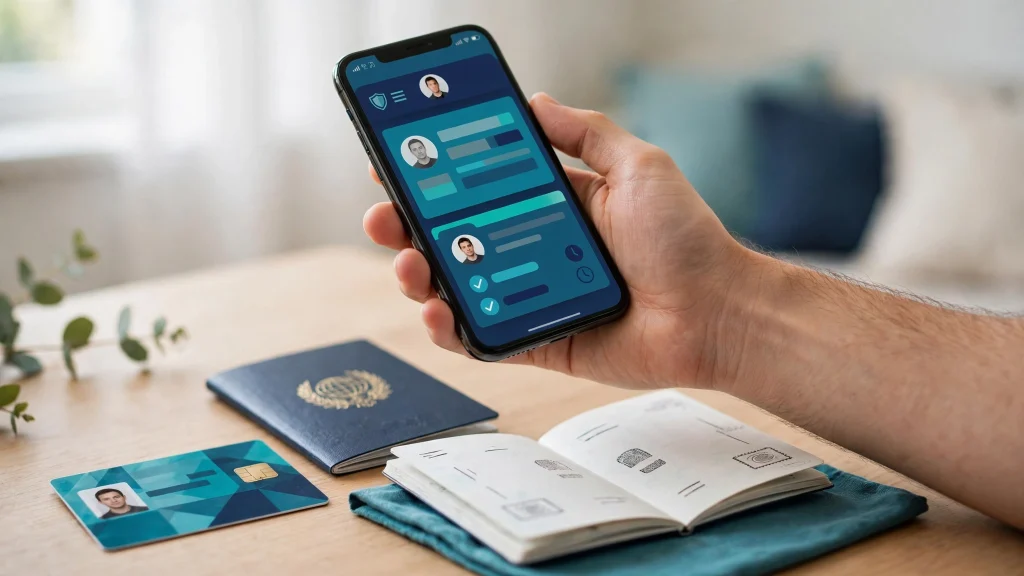
For most Pakistanis, changing the photograph or the permanent address on a CNIC has always meant one thing: a trip to a NADRA centre, a queue, and half a day gone. In October 2026, that changed. NADRA announced that citizens can now change their CNIC photograph and permanent address from home through the PakID mobile app, submitting the application without visiting a NADRA centre to file it.
This is a practical guide to what was announced, the exact steps inside the PakID app, the new family features that came with the same October update, and — just as important — what the announcement does not promise. Read the whole guide before you open the app, so you know which parts happen on your phone and which parts might still need a centre visit.
What NADRA Announced in October 2026
The initiative was launched on 11 October 2026. NADRA’s statements and the resulting press coverage ran from 11 to 14 October 2026, with ProPakistani covering the update on 12 October, Daily Pakistan on 13 October, and ADN News English on 14 October. The headline news is simple: through the PakID app, citizens can now apply to change their CNIC photograph and their permanent address from home, without going to a NADRA centre to submit the application.
NADRA is aiming this especially at citizens in remote areas, for whom a centre visit can mean hours of travel. The change is also part of the ongoing modernisation of the PakID app, which NADRA has been steadily turning into a full identity-services channel on the phone rather than a simple download tool.
Alongside the photo and address update, the same October announcements brought three more additions to the app. First, citizens can now obtain, save and share digital identity cards for a spouse and eligible children alongside their own, all inside the PakID app. Second, QR-code scanning inside the PakID app can now be used to verify B-Form and CNIC-cancellation certificates. Third, the latest version of the app adds biometric verification support connected to Hajj and Umrah vaccination requirements. Each of these is covered in its own section below.
Step-by-Step: Change Your CNIC Photo or Address in the PakID App
The update flow reported in the October coverage is the same across the news outlets that described it. Here are the exact steps, in order:
Step 1: Open the PakID app and log in. Start the PakID app on your phone and sign in with your account. If you do not already have a PakID account, you will need to register one first, since the update process runs inside your logged-in account.
Step 2: Tap “Identity Card” on the home screen. Once logged in, the home screen of the app shows an “Identity Card” option. Tap it. This is the entry point for card-related services, including the new update option.
Step 3: Choose “Myself” or “My Blood Relatives.” This is the step that decides whose CNIC you are updating. Choose “Myself” to update your own identity card. Choose “My Blood Relatives” if you are updating the card of an eligible blood relative. The coverage describes this option as being for an eligible blood relative — so it covers the family members the app’s process accepts, and not just anyone.
Step 4: Choose “Update Card.” After selecting whose card you are working on, choose the “Update Card” option. This is the new function that the October 2026 initiative added: updating existing card information from the app instead of at a centre counter.
Step 5: Modify the information that needs changing. On the update screen, modify what needs to be changed — the photograph, the permanent address, or whichever information the app’s update flow offers for your case. Read every field before you change it, and double-check the new permanent address character by character, since an address correction later would mean a second application.
Step 6: Complete and submit through the app. Once the updated information is entered, complete the remaining on-screen formalities and submit the application from inside the app. The submission itself is the part that happens from home — you do not travel to a NADRA centre to file this application.
That flow — Identity Card, then Myself or My Blood Relatives, then Update Card, then submit — is the whole published procedure. Keep it in this order, because skipping straight to an update option will not work if you are on the wrong person’s card.
What “Myself” and “My Blood Relatives” Cover
The two choices at Step 3 deserve a clear explanation, because picking the wrong one means updating the wrong record.
“Myself” is for your own CNIC. If the photograph that needs changing or the permanent address that has changed is on your own identity card, this is the path you take, and the app will treat the session as an update to your own record.
“My Blood Relatives” is for updating the card of an eligible blood relative. The October coverage describes this as an option for an eligible blood relative’s card, so it is the route for family updates that the app’s process accepts. Do not use your own “Myself” session to update someone else’s record, and do not use the relatives option for your own — the update attaches to whichever person’s card the session was started for.
What You Can Do From Home — and What May Still Need a Visit
The table below keeps the promise honest: what the October update genuinely moves to your phone, and what may still send you to a centre.
| Task | Submit from home (PakID app) | May still need a centre visit |
|---|---|---|
| Change CNIC photograph | Yes — the application is submitted from home | Yes — if NADRA requires in-person photo capture or verification |
| Change permanent address | Yes — the application is submitted from home | Yes — if further verification is required for the change |
| Update an eligible blood relative’s card | Yes — through the “My Blood Relatives” path | Same verification caveat as your own card |
| Obtain, save and share family digital ID cards | Yes — fully inside the app | No centre visit involved |
| Verify a B-Form or CNIC-cancellation certificate by QR code | Yes — scan inside the app | No centre visit involved |
| Biometric or iris capture where NADRA requires it | No | Yes — in-person capture can still be mandatory |
Application From Home — Biometrics May Still Need a Visit
This section is the honest core of the whole guide, so read it carefully. The October 2026 announcement is about submitting the application from home. You open the PakID app, go through the Identity Card, Myself or My Blood Relatives, and Update Card flow, and you file the update without travelling to a NADRA centre. That much is what NADRA announced, and it is a genuine change.
What the announcement does not promise is that you will never set foot in a NADRA centre again. NADRA may still require in-person biometrics, iris capture, or photo capture and verification for some cases, even after you submit from the app. The application is filed from home; the identity-verification part of the process can still call you in, depending on what your particular case needs.
So treat the two parts separately. The queue for filing the application is gone. The possibility of being asked to appear for biometrics or verification is not. Anyone who tells you this change means “100% from home, never visit NADRA” is overstating the announcement. NADRA’s own October coverage is careful on this point, and this guide stays with exactly what was announced: apply from home, and complete whatever verification NADRA asks for — which, in some cases, will still be in person.
New: Digital ID Cards for Your Spouse and Children
The same October update added something beyond the photo and address change. Citizens can now obtain, save and share digital identity cards for a spouse and eligible children alongside their own, all inside the PakID app.
In practice, this means the family’s identity documents stop living only as physical cards in a wallet. You can keep your spouse’s and your eligible children’s digital ID cards saved in your app and share them when a digital copy is needed, instead of photographing the physical card again and again. Keep the app’s login secure, because these digital cards are identity documents — a shared phone or a carelessly saved screenshot is not a safe place for them.
This feature sits naturally next to the “My Blood Relatives” update path described above: the app is becoming the place where the family’s identity records are managed, not just the individual’s.
QR-Code Verification for B-Form and Cancellation Certificates
Another October addition is QR-code scanning inside the PakID app, which can now verify B-Form and CNIC-cancellation certificates. In other words, when you need to check that such a document is genuine, you can scan its QR code through the app instead of relying on the printed paper alone.
This is a verification tool, not a replacement for the documents themselves. It answers one question — is this certificate genuine? — and it answers it from your phone. For anyone who handles B-Forms or cancellation certificates regularly, from school admissions to office paperwork, this is the October update’s quietest but most practical addition.
Biometric Verification for Hajj and Umrah Vaccination Requirements
The October coverage also notes that the latest version of the PakID app adds biometric verification support connected to Hajj and Umrah vaccination requirements. This is a smaller item than the photo and address update, but it matters for pilgrims: the app now carries the biometric verification piece that those vaccination requirements involve.
If you or a family member are preparing for Hajj or Umrah, make sure the PakID app on your phone is updated to the latest version before you begin any biometric step, so the verification feature the requirements expect is actually present.
Cashless Payments: 99% of NADRA Centre Transactions
A related development from the same week deserves its own section, because it changes how you pay — but not how much you pay. According to PID press release number 34289, dated 13 October 2026, more than 99% of fee transactions at NADRA centres are now cashless. Digital payments have also been extended to passport offices, which means no more bank-branch challan queues for those payments either.
Two honesty notes come with this news, and both matter. First, there are no fee discounts here — standard tariffs apply. Paying digitally does not make the service cheaper; it only changes the queue you stand in. Second, cashless payment does not make everything online. Analysis of the announcement notes that in-person visits remain mandatory for biometrics, iris capture, and photo capture where those are required. The payment modernisation and the home-submission update are two separate improvements, and neither one removes the verification visits on its own.
This Is Not CNIC Renewal
One last boundary, kept deliberately short: changing your photograph or permanent address is not the same thing as renewing your CNIC. Renewal is a different process with its own steps, and it is already covered by the Pak ID CNIC renewal guide on this site. If your card is expiring, follow that guide instead — this article covers the photo and address update, the family digital IDs, QR verification, and cashless payments, and nothing else.
The new update process — the Identity Card to Myself or My Blood Relatives to Update Card flow, the family digital ID cards, and the QR verification features — was reported by ProPakistani, which covered NADRA’s 11 October 2026 initiative on 12 October 2026.
Also read: Pak ID NADRA CNIC Renewal Online Guide and Passport Renewal Online in Pakistan: Complete Guide
FAQs
Can I really change my CNIC photo and address without visiting a NADRA centre?
You can submit the application from home through the PakID app: log in, tap Identity Card on the home screen, choose Myself for your own card or My Blood Relatives for an eligible relative, choose Update Card, modify the photograph or permanent address, and submit through the app. That is what NADRA announced in October 2026. The application filing is what happens from home; NADRA may still ask you to appear in person for biometrics, iris capture, or photo verification depending on your case.
What are the exact steps in the PakID app?
Log in to the PakID app, tap “Identity Card” on the home screen, choose “Myself” for your own CNIC or “My Blood Relatives” for an eligible blood relative, choose “Update Card”, modify the information that needs changing, then complete and submit through the app. Follow the order exactly — the update attaches to whichever person’s card the session was started for.
Will I never have to visit NADRA again after this update?
No — that would overstate the announcement. The October 2026 change means you no longer travel to a centre to file the photo or address update application. But NADRA may still require in-person biometrics, iris capture, or photo capture and verification in some cases. Apply from home, and complete whatever verification NADRA asks for afterwards.
Has NADRA reduced its fees now that payments are cashless?
No. According to the PID press release of 13 October 2026, more than 99% of fee transactions at NADRA centres are now cashless, and digital payments have been extended to passport offices — but standard tariffs still apply, with no fee discounts. Cashless payment changes how you pay, not how much you pay, and it does not remove the in-person biometric, iris, or photo capture visits where those are required.