
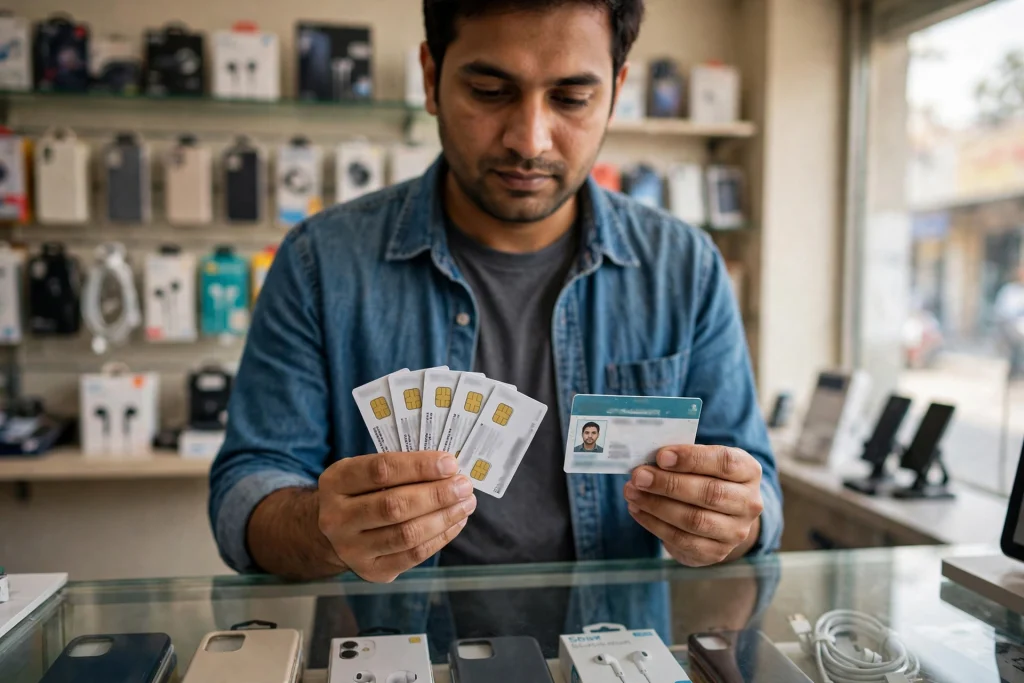
If you walk into a franchise to buy a new SIM and the staff tell you that your CNIC is already “full”, do not be surprised. The Pakistan Telecommunication Authority (PTA) has clarified that a maximum of five SIM cards can be registered against a single CNIC in Pakistan, and once that limit is reached, no sixth SIM can be obtained using the same CNIC. This is not a punishment aimed at you personally. It is a limit on how many mobile connections one identity card can hold, and it applies to everyone in the same way.
This guide explains the PTA five SIM per CNIC limit in simple words: what the limit means, what happens when you already have five SIMs, what choices you have if you need a new number, and how to check how many SIMs are already registered in your name. Read it before you visit a franchise, because knowing your count in advance can save you a wasted trip.
What the PTA five SIM per CNIC limit actually means
In Pakistan, every SIM you buy is registered against your Computerised National Identity Card (CNIC) after biometric verification. The PTA five SIM per CNIC limit means that one CNIC can hold a maximum of five registered SIM cards. The count is not per network. It is not five Jazz SIMs plus five Zong SIMs plus five Telenor SIMs. It is five SIMs in total, across all operators combined.
So if you already have three Jazz SIMs and two Zong SIMs, your five slots are full. You cannot walk into a Ufone or Telenor franchise and get a sixth SIM on the same CNIC, because the system will see that your CNIC has already reached its limit. Switching to a different operator does not reset the count. The limit follows your CNIC, not the network you choose.
It is also important to understand what the 2 November 2026 report actually was. PTA did not suddenly announce a brand-new rule on that day. The five-SIM limit has existed for years as part of Pakistan’s SIM registration framework. What happened on 2 November 2026 was a clarification: PTA restated the rule plainly so that citizens know exactly where they stand. Framing it correctly matters, because a clarification and a new rule are two different things. Nothing in the report suggests that people who already hold five SIMs have broken a new law overnight. It simply restates the ceiling that already applies.
Why does this limit exist at all?
The restriction exists for control and verification of mobile connections. When a SIM is used, the authorities need to know who it belongs to. If one CNIC could hold an unlimited number of SIMs, it would be far easier for connections to be passed around, misused, or registered in someone else’s name without their knowledge. A fixed limit keeps the system manageable and makes it harder for a single identity to be linked to dozens of active numbers.
This is also why biometric verification is part of every new SIM sale. Your fingerprint links the SIM to your CNIC at the time of purchase, and that link stays in the operator’s record. The five-SIM limit is the second half of the same idea: verified identity, plus a reasonable cap on how many connections that identity can hold.
For ordinary users, five SIMs is usually more than enough. Most people use one or two numbers in daily life: a personal number and perhaps a work number, or one number for calls and another for mobile data. Problems start only when old SIMs pile up. A SIM you bought years ago for a short trip, a second number you stopped using, or a connection a family member took in your name can quietly eat up your slots. That is why the first step in this guide is not buying a new SIM. It is checking what you already have.
What happens when you already have five SIMs?
When your CNIC already has five registered SIMs, the practical result is simple: the operator cannot issue you a sixth SIM on that CNIC. The franchise system will show that your limit is reached, and the new activation will be refused. This is not a decision the shop staff can override at the counter. It is a registration limit enforced through the system.
Importantly, the 2 November 2026 report states no penalty or fine figure for being at the limit. Being at five SIMs is not itself a violation. You are not fined for having five SIMs, because five is the allowed maximum. The limit only blocks a sixth registration until something changes on your account. So if you already have five SIMs and you are happy with them, you do not need to do anything at all. The limit only becomes a problem at the moment you want a new number and find that no slot is free.
There is one more thing to keep in mind. A SIM you no longer use still counts toward your limit as long as it remains registered in your name. Putting a SIM in a drawer does not free up a slot. The connection has to be formally deactivated, blocked, or transferred before the slot opens up. That is the step many people miss, and it is the step that actually solves the problem.
Your three choices when you are at the limit
If you already have five SIMs and you need a new one, you have three realistic options. None of them is complicated, but each one has a different result, so pick the one that matches your situation.
The first option is to deactivate a SIM you no longer use. Look at your five SIMs and ask which one you can genuinely live without. Perhaps it is an old number nobody calls any more, or a data SIM from a package you stopped using. Deactivating that connection frees one slot, and you can then register a new SIM on your CNIC. The trade-off is obvious: once deactivated, that old number is gone. If it is linked to your bank account, WhatsApp, or any important service, move those accounts to another number first.
The second option is to transfer a connection where applicable. In some cases, a SIM registered in your name is actually used by someone else, such as a family member. If the operator allows it, the connection can be transferred to that person’s own CNIC, which frees your slot without anyone losing their number. Whether this is possible, and what documents it needs, depends on the operator’s own process, so confirm it with the operator before you promise anyone anything.
The third option is the simplest of all: use a SIM you already have. If one of your five SIMs is sitting unused in a drawer, you may not need a new number at all. Recharge it, put it back in your phone, and use it for whatever you needed the new SIM for. This costs nothing extra and avoids the whole deactivation process. It only fails if all five of your SIMs are genuinely in active use and none can be spared.
The table below puts these three choices side by side so you can decide at a glance.
At-the-limit decision table
| Your situation | Best option | What it means in practice | What to watch out for |
|---|---|---|---|
| You have a SIM you no longer use | Deactivate it | The old connection is closed and one slot on your CNIC opens up for a new SIM | You lose that old number permanently, so move bank, WhatsApp, and other linked accounts first |
| A family member uses a SIM registered in your name | Transfer it where applicable | The connection moves to their CNIC, freeing your slot while they keep the number | Availability and documents depend on the operator, so confirm the exact process with them first |
| One of your five SIMs is sitting unused | Use the existing SIM | No deactivation and no new registration needed, just recharge and use it | Only works if you do not actually need a brand-new number |
| All five SIMs are in active daily use | Deactivate the least important one, or wait | You must free a slot before any operator can issue a sixth SIM on your CNIC | Do not pay anyone who promises to “bypass” the limit, as no franchise can override it |
How to check how many SIMs are on your CNIC
Before you decide anything, check your actual count. Guessing is how people end up surprised at the franchise counter. PTA gives you two official ways to check, and both are quick.
The first way is by SMS. Send your 13-digit CNIC number, without dashes, by SMS to 668. PTA replies with the number of SIMs registered against your CNIC, broken down by operator. The second way is online: visit cnic.sims.pk, PTA’s SIM Information System, and enter your CNIC number there to see the same result.
This check matters for a second reason beyond the five-SIM limit. Sometimes the result shows a SIM you do not recognise. That can happen if a connection was registered in your name without your knowledge, and an unknown SIM quietly occupies one of your five slots. If that happens, do not ignore it. Contact the operator concerned and get the unknown SIM blocked or disowned through the proper channel. A full fraud guide, including the SIM-swap scam route, already exists on this site as a separate article, so this guide keeps the point brief: check first, and act immediately on anything you do not recognise, because an unknown SIM is both a security risk and a wasted slot.
The table below summarises the check methods and what to do with the result.
SIM-count check table
| Method | How to do it | What you get | What to do next |
|---|---|---|---|
| SMS to 668 | Send your 13-digit CNIC number without dashes to 668 | Total SIMs on your CNIC, split by operator | If the count is five, free a slot before applying for a new SIM |
| Online at cnic.sims.pk | Enter your CNIC number on PTA’s SIM Information System portal | The same SIM count, shown on screen | If the count is below five, you can apply for a new SIM normally |
| Unknown SIM appears in the result | Note the operator shown next to the unknown number | Proof that a connection exists in your name that you do not recognise | Contact that operator at once to block or disown it, and follow the full fraud route in the separate guide on this site |
How to free a slot: the general route
PTA’s clarification says that people who already have five SIMs would need to deactivate or transfer an existing connection, where applicable, before obtaining another SIM. It does not publish one single step-by-step procedure for every operator, and this guide will not invent one. Operators run their own service centres and helplines, and the exact documents, biometric step, and waiting time can differ from one operator to another.
The general route is straightforward. Visit the service centre or franchise of the operator whose SIM you want to deactivate or transfer, take your original CNIC, and tell the staff exactly what you want: deactivation of a specific number, or transfer of a connection to another person’s CNIC where the operator allows it. If you want to confirm the process before travelling, call the operator’s helpline first. The helplines already listed on this site are Jazz 111, Zong 310, Ufone 333, and Telenor 345. A short call can confirm which documents to bring and whether the transfer option is available for your type of connection.
Two warnings belong here. First, never hand your CNIC or fingerprints to an agent who offers to “arrange” a sixth SIM outside the proper process. No shop can override the PTA limit, and anyone charging you for that promise is taking your money for something the system will refuse anyway. Second, never deactivate a number that is linked to your bank account, mobile wallet, or WhatsApp until you have moved those services to another number. Losing access to a linked number can lock you out of your own accounts.
A note on conflicting information you may see online
Honesty requires a note here, because not every website describes the limit in exactly the same words. Some online guides describe the allowance as five voice SIMs plus three data-only SIMs, meaning ordinary call-and-data SIMs and dedicated mobile broadband SIMs are counted separately. The 2 November 2026 clarification reported by Daily Qudrat, which this article is based on, states the limit simply as a maximum of five SIM cards per CNIC, without that split. Other low-quality pages online even claim far higher totals, such as five SIMs per operator, which contradicts the confirmed position that the limit is five across all operators combined.
This article follows the Daily Qudrat clarification and the position confirmed by the PTA chairman before a National Assembly committee in September 2026: five SIMs per CNIC, across all networks combined. But because some guides do mention a separate data-only allowance, treat that detail as unconfirmed for your own case. If you hold a dedicated data device SIM and an operator tells you it sits outside the five, ask them to confirm that in writing at the service centre before you rely on it. When sources disagree, the operator issuing your SIM and PTA itself are the final word, not a blog post. The practical advice in this guide does not change either way: check your count first, and free a slot before applying for a new SIM.
What this limit is not
Because several SIM-related topics have been covered on this site recently, it is worth being clear about what this article is not about. This is not about the warning against trading foreign SIMs, which was a separate PTA warning. It is not about the 180-day prepaid balance rule, which concerns unused balance on prepaid connections. And it is not about SIM-swap fraud, where criminals try to take over your number. This article is only about the per-CNIC count limit: how many SIMs one CNIC can hold, and what to do when you have reached five.
Keeping these topics separate matters, because mixing them up leads to wrong advice. A fraud complaint goes through a different channel than a deactivation request, and a balance expiry question has nothing to do with your SIM count. If your problem is an unknown SIM or a suspected fraud attempt, use the fraud guide. If your problem is simply that you want a sixth number, this guide is the one you need.
A practical checklist before you apply for a new SIM
Run through this short checklist and you will rarely waste a trip to the franchise. First, check your count by SMS to 668 or at cnic.sims.pk. Second, look at the result and identify any SIM you do not recognise, and deal with that first. Third, decide which of your five SIMs you can deactivate, transfer, or reuse. Fourth, move any bank, wallet, or WhatsApp link off a number you plan to deactivate. Fifth, call the operator’s helpline if you are unsure about the process or documents. Only then visit the franchise for the new SIM.
This order matters. People who skip the check often discover at the counter that their CNIC is full, and then have to start the deactivation process from scratch. People who deactivate without moving their linked accounts often discover the mistake when they cannot log in to their bank app. Five minutes of checking at home prevents both problems.
The bottom line
The PTA five SIM per CNIC limit is simple once it is stated plainly: five SIM cards per CNIC, across all operators combined, and no sixth SIM until you free a slot. The 2 November 2026 report was a clarification of that existing rule, not a new rule invented overnight, and it carries no fine figure for simply being at the limit. If you have five SIMs and you need a new number, check your count, pick the option that fits your situation, deactivate or transfer through your operator’s proper channel, and confirm any unclear detail with the operator before you act. Your CNIC is your identity for every mobile connection you hold, so keeping its SIM list clean is one of the simplest forms of protection you have.
The five-SIM clarification was reported by Daily Qudrat on 2 November 2026, which stated that a maximum of five SIM cards can be registered against a single CNIC in Pakistan and that citizens who already have five SIMs would need to deactivate or transfer an existing connection, where applicable, before obtaining another SIM.
FAQs
Can I get a sixth SIM on my CNIC if I use a different network?
No. The five-SIM limit applies across all operators combined, not per network. If you already have five SIMs on your CNIC, no operator can issue you a sixth one until you free a slot by deactivating or transferring an existing connection, where applicable. Switching networks does not reset the count.
How do I check how many SIMs are registered on my CNIC?
Send your 13-digit CNIC number without dashes by SMS to 668, or enter it at cnic.sims.pk, PTA’s SIM Information System. Both methods show your total SIM count broken down by operator. Check before visiting a franchise so you know whether a slot is free.
I already have five SIMs and need a new number. What should I do first?
First check your count and look for any SIM you do not recognise. Then choose between deactivating a SIM you no longer use, transferring a connection to its actual user where the operator allows it, or simply reusing an existing unused SIM. Move bank, wallet, and WhatsApp links off any number you plan to deactivate before you close it.
Is the five-SIM limit a new rule introduced on 2 November 2026?
No. The 2 November 2026 report was a clarification of an existing limit, not a brand-new rule. PTA restated that a maximum of five SIM cards can be registered against a single CNIC. The report also states no penalty or fine figure for being at the limit, so having five SIMs is not itself a violation.