
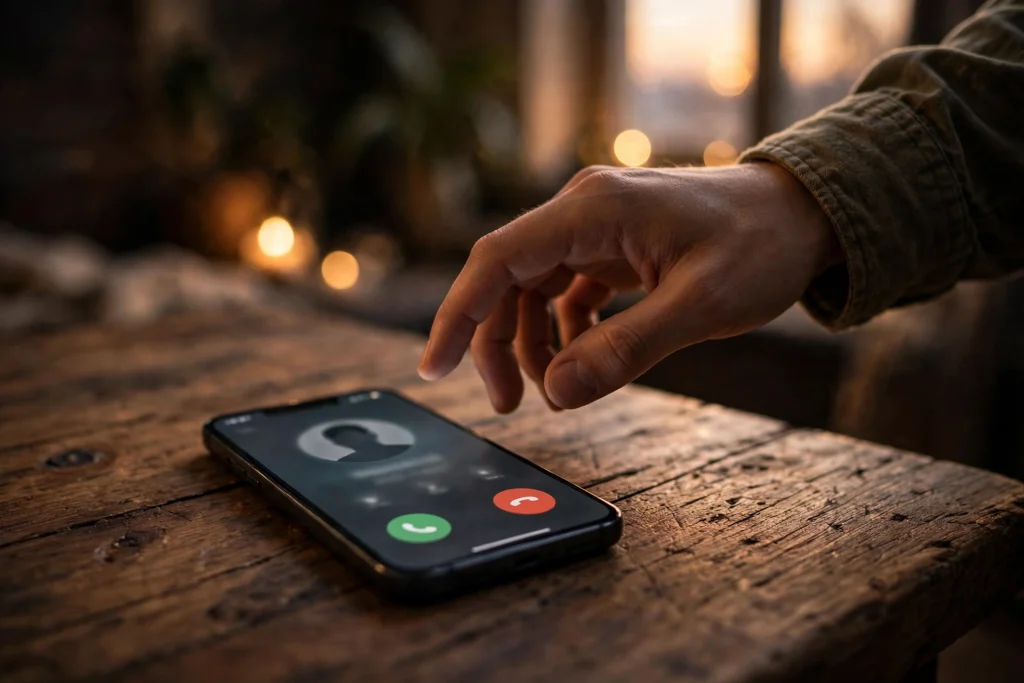
Your phone rings on WhatsApp. The number is not saved in your contacts. You have three seconds to decide: answer it, or let it ring out. It could be a courier with your parcel, a new client, a relative calling from a new number, or a scammer trying a new trick. Until now, you had almost nothing to go on except the number itself and your gut feeling. That is changing.
WhatsApp now shows extra context when a number that is not in your contacts calls you. Before you answer, you can see which country the number is registered in, and whether you share any WhatsApp groups with the caller. That is a small amount of information, but in those three seconds it can make the difference between picking up a genuine call and walking into a scam. This guide explains what the new caller information means, how to read it, what it does not tell you, and the one setting every Pakistani user should turn on today.
What WhatsApp Now Shows When an Unknown Number Calls
When someone who is not saved in your contacts calls you on WhatsApp, the app now displays details to help you decide how to respond. The two details that matter most are the country where the phone number is registered, and whether you have any groups in common with the caller. WhatsApp's own help page describes exactly this: the details let you know that the caller is not a contact, if you have groups in common, and what country their phone number is registered in. From there, you can decide whether to answer the call, block the number, or silence calls from unknown callers through your privacy settings.
The same information can also appear in a different place. When an unknown person messages you for the first time, WhatsApp can show whether you share any groups and which country their number is registered in, so you can decide whether to continue the conversation, add the person to your contacts, block them, or report the account. In other words, the same two clues now protect you on calls and on first messages.
This is not a small change for users in Pakistan. Scam calls on WhatsApp have become a daily problem here. Fake prize announcements, fake bank calls, fake job offers, fake courier messages and fake "your account will be closed" warnings all arrive the same way: an unknown number, a confident voice, and pressure to act quickly. The caller wants you to decide before you think. The new feature does the opposite. It gives you a reason to pause for five seconds and look at the screen before you say hello.
The Android and iOS Question: Read This First
Here is something you need to know honestly, because the reports do not all agree. The Economic Times, NewsBytes and TengriNews report that the caller-context feature is available for both Android and iOS users. Other reports, including jawawa.id, which cites WhatsApp's own announcement, and the Eastleigh Voice, say the caller-context feature is Android-only for now, rolling out gradually to Android users, with no confirmed date for iPhone users.
WhatsApp's own help page, which the Economic Times cites as its source, describes the feature without limiting it to one platform in the text that is publicly visible, and its silence-unknown-callers steps are given separately for both Android and iOS. That is not the same as a clear confirmation that iPhone users can already see the country and shared groups on an incoming call. So here is the honest position as of 6 November 2026: the feature is confirmed and rolling out on Android, and several major outlets report it for iOS too, but that iOS part is not yet confirmed by WhatsApp in a way that settles the question. If you use an iPhone and you do not see the country and shared-group details on an unknown call yet, do not assume your phone is broken or your app is fake. Update WhatsApp from the App Store, wait for the gradual rollout to reach you, and use the Silence Unknown Callers setting below, which is confirmed for both platforms. If you use Android, update WhatsApp from the Google Play Store first, because a gradual rollout means some users get the feature days or weeks before others.
This matters because a gradual rollout is normal for WhatsApp. New features rarely reach every phone on the same day. They arrive in waves, country by country and phone by phone. So if your friend in Lahore already sees the new details and you in Bahawalnagar do not, that does not mean the feature is fake. It usually means your turn has not come yet. Check again after updating the app, and check again a week later.
How to Read the Country on an Unknown Call
The country detail is the first thing to look at, and it is also the easiest to misunderstand. When an unknown number calls, WhatsApp shows the country where that number is registered. A number registered in Pakistan will show Pakistan. A number registered in another country will show that country. That is all it shows. It does not show a city, it does not show a name, and it does not tell you whether the caller is a scammer.
So how should you use it? Ask yourself one simple question: was I expecting a call from this country? If you ordered a parcel from a Pakistani shop, applied for a job in Pakistan, or gave your number to a local business, a call from a Pakistani number fits the story. If you have no link to any other country, no relative abroad, no foreign client, and no online order from abroad, then a call from a foreign number deserves extra caution. It is not proof of a scam. Plenty of genuine calls come from abroad, especially for families with relatives working overseas. But an unexpected foreign call is a reason to let it ring, check the number in the Calls tab afterwards, and call back only if you can verify who it is.
Scammers know this, and some of them use Pakistani numbers too, so a Pakistani registration is not a green light either. The country is a clue, not a verdict. Use it together with the second clue, the shared groups, and with your own common sense about whether you were expecting the call at all.
What Shared Groups Really Mean, and What They Do Not Mean
The second detail WhatsApp shows is whether you share any groups with the caller. This is often the more useful clue, because it can explain why a stranger is calling you at all. If the call comes from someone in your family group, your office group, your university group, or your neighbourhood group, the shared group gives you a reason the person might have your number. A teacher, a classmate, a colleague, or a shopkeeper from a group you both belong to could be calling for a genuine reason.
But here is the warning, stated plainly, because it is in the sources themselves: a shared group does NOT mean the caller is trustworthy. Anyone can be added to a large public group, and scammers join big groups precisely to harvest numbers and to look familiar. Being in the same group as you does not verify anyone's identity. It only tells you where they may have found your number. If the shared group is a huge public group with hundreds of members you do not know, treat the shared-group label as almost no protection at all. If the shared group is a small private group, such as your family group or your office team group, the label carries more weight, but it still does not prove the caller is who they claim to be.
The same caution applies in the other direction. A foreign number is NOT automatically a scam. Your cousin in Dubai, your brother in Saudi Arabia, or a client in the United Kingdom may all call from foreign numbers, and their calls are genuine. The country and the shared groups are context, not a judgement. WhatsApp is giving you two facts so you can think before you answer. It is not deciding for you, and it is not labelling anyone a scammer.
The One Setting to Turn On: Silence Unknown Callers
The new caller details help you decide in the moment. The Silence Unknown Callers setting protects you all the time, even when you are not looking at your phone. It is an existing WhatsApp privacy setting, and it works on both Android and iOS. Once it is on, calls from numbers that are not in your contacts will not make your phone ring. They will still appear in your Calls tab and in your notifications, so you can review them later and call back if the call was genuine. Your phone simply will not be interrupted by strangers.
Here is how to turn it on. On Android, open WhatsApp, tap the three dots for More Options, go to Settings, then Privacy, then Calls, and turn on Silence Unknown Callers. On iPhone, open WhatsApp, tap Settings or your profile picture, then Privacy, then Calls, and turn on Silence Unknown Callers. The path is the same idea on both phones: Settings, then Privacy, then Calls, then the silence switch.
There is one important catch to remember. If you call or message a silenced caller back, WhatsApp will no longer silence their future calls. That is by design. By calling them back, you are telling WhatsApp that this number is no longer a stranger to you. So be careful with the call-back button. If you are not sure who the caller is, do not call back from the Calls tab in a hurry. First, check whether the number left a message, ask in the shared group whether anyone knows the number, or search your memory for an order or appointment that fits. Only call back when you have a reason to believe the call was genuine.
Silencing unknown callers does not block anyone. That is a common misunderstanding. A silenced caller can still call you, and the call will still be listed. If you want to stop a specific number from contacting you at all, you need to block it, which is a separate step explained below. Silencing is for the numbers you have not judged yet. Blocking is for the numbers you have judged and want gone.
What to Do in Each Situation: A Simple Decision Table
The hardest part of an unknown call is deciding quickly. The table below turns the two new clues into a simple plan. Keep it in mind the next time your phone rings from a number you do not know.
| What you see on the screen | What it probably means | What to do |
|---|---|---|
| Pakistani number, shared group you know, and you were expecting a call | Likely a genuine caller, such as a colleague, teacher, or delivery rider | Answer, but stay alert if they ask for money or codes |
| Pakistani number, no shared group, and you were not expecting a call | Could be genuine, could be a sales or scam call | Let it ring, check the Calls tab, call back only after checking |
| Foreign number, no shared group, and no link to that country | Needs extra caution, especially if the caller pressures you | Do not answer, do not call back in a hurry, block if it repeats |
| Foreign number, shared small family or office group | Possibly a relative or colleague calling from abroad | Answer only if the group and the timing fit, otherwise let it ring and verify |
| Any number, caller asks for an OTP, bank code, or payment | A scam, whatever the country or group says | End the call at once, do not share any code, block and report |
| Same unknown number calls again and again after you ignored it | Persistent unwanted contact, likely spam or a scam attempt | Block the number and report it as spam |
Notice the last two rows. No combination of country and shared groups can make an OTP request safe. No bank, no courier company, no government office, and no WhatsApp support agent will ever ask you for a one-time password, a verification code, or your bank details on a call. If a caller asks for any of those, the call is a scam, full stop. End it, block the number, and report it.
How to Block and Report an Unknown Caller Safely
If you decide a caller is unwanted, do not just ignore the call and hope it goes away. Take thirty seconds to block and report, because that protects you and helps WhatsApp spot the number for other users too.
Open the Calls tab, find the unknown call, and tap the number to open its contact information. From there you can block the number. When you block someone on WhatsApp, they cannot call you or message you, and they cannot see your profile photo or your online status in the way they could before. You can also report the number as spam at the same time, which sends WhatsApp information about the account so it can be reviewed. If the caller sent you a message as well, open the chat, tap the number at the top, scroll down, and use the Block and Report options there.
If the caller claimed to be from your bank, JazzCash, Easypaisa, a courier company, or a government department, do one more thing: contact the real organisation through its official helpline or app, using a number you already know, and tell them what happened. Do not use any phone number or link the caller gave you. Scammers often follow up a failed call with a fake message containing a link, and that link is the real trap. Never tap a link sent by an unknown number, and never install an app a stranger tells you to install.
The Pakistan Angle: The Scams This Feature Helps You Spot
In Pakistan, the most common WhatsApp scams follow a small set of scripts, and the new caller details help you catch most of them before you answer. The fake prize scam is one: a call or message saying you have won a car, cash, or a lucky-draw prize, and asking for a "processing fee" or a tax payment to release it. The fake bank scam is another: a caller claiming your account will be blocked unless you share an OTP or confirm your details. The fake job scam promises a high salary for easy online work, then asks for a registration fee. The fake courier scam says your parcel is stuck and asks you to pay a small delivery charge through a link. The fake relative scam is the cruellest: a caller pretending to be a family member in trouble, asking for urgent money.
In every one of these scripts, the caller needs you to answer quickly and trust them quickly. The country and shared-group details slow that down. A prize-scam call from a foreign number, with no shared group, when you never entered any lucky draw, fails every check at once. A fake bank call from a number that shares no group with you, when your real bank has never called you on WhatsApp, fails the same way. The feature does not catch the scam for you. It gives you the pause you need to catch it yourself.
There is also a practical Pakistani habit worth changing. Many of us are members of dozens of large WhatsApp groups: school groups, housing society groups, buy-and-sell groups, mosque groups, and job groups. Every large group exposes your number to strangers. Take a few minutes to tighten your group privacy while you are in Settings. Go to Settings, then Privacy, then Groups, and set it to My Contacts, so random people cannot add you to new groups without an invitation. Fewer strange groups means fewer strangers who can point to a shared group and look familiar. It is a small step, and it makes the shared-group clue more meaningful when it does appear.
What This Feature Is Not
It is important to be clear about what WhatsApp is not doing here, because misunderstanding the feature can make you less safe, not more. This is not caller ID. WhatsApp does not show you the caller's name, and it does not look the number up in a directory and tell you who owns it. It shows only two facts: the country the number is registered in, and whether you share any groups. That is all. If you want to know who a caller is, you still need to ask them, verify them through a channel you trust, or wait for them to message you with proof.
It is also not a scam detector. WhatsApp does not label a caller as a scammer or as safe. A number with no shared groups and a foreign registration can belong to a perfectly honest person, and a number with a Pakistani registration and a shared group can belong to a scammer. The feature gives you context. The judgement is still yours, and it should still be cautious. If you are unsure, the safe choice is always the same: do not answer, do not share codes or money, and verify through a separate channel before you call back.
Finally, this is not a replacement for the Silence Unknown Callers setting, or for blocking and reporting. The new details and the old setting work together. The details help you judge the calls you do see. The silence setting stops the calls you do not want to be interrupted by. Blocking stops the callers you have already judged. Use all three, and you have a simple safety routine that takes a minute to set up and protects you every day.
Also in Testing: A Separate Warning Screen for Unknown Chats
One more thing is worth knowing, so you do not mix it up with the feature above. WhatsApp is also testing a separate pre-chat warning screen for unknown numbers, spotted by the tracker WABetaInfo. That screen would appear before you reply to a message from an unfamiliar number, showing similar details about the sender. It is still in testing and has not been released to everyone, so it is a different feature from the caller-context information described in this article, and you should not expect to see it on your phone yet.
The same safety push also includes passkey login and stronger two-step verification, which give your WhatsApp account itself an extra layer of protection. Turn on two-step verification in Settings, under Account, if you have not already done so, and keep it in mind as part of the same habit of checking before you trust.
Also Read: Two More Safety Guides Worth Reading
If this guide helped you, two earlier GemTakes articles cover the scams that surround it. "WhatsApp Spy Apps" Are a Scam: What Parents and Partners Must Know explains why apps that promise to spy on someone's WhatsApp are themselves a trap, and what parents and partners should do instead of paying for them. NCCIA InDrive Fake-Booking Scam: How Drivers Are Being Tricked, and How to Stay Safe walks through a real scam targeting drivers in Pakistan, showing the exact tricks used and the steps that keep you safe. Read them together with this guide and you will recognise the pattern behind most WhatsApp and phone scams before they reach you.
WhatsApp now shows the country a number is registered in and whether you share any groups with the caller when an unknown number calls or messages you for the first time, so you can decide whether to answer, ignore, block or report — a change reported by TengriNews on 3 November 2026 and described on WhatsApp’s own help page, which the Economic Times cites for the same details. Note that reports disagree on platform scope: several outlets say Android and iOS, while other reports say Android-only for now, so confirm in your own WhatsApp app after updating it, and remember that a shared group does not prove a caller is trustworthy and a foreign number is not automatically a scam.
FAQs
Will I see the country and shared groups for every unknown WhatsApp call?
No, not necessarily. The feature is rolling out gradually, so it may reach some users before others, and reports disagree on whether iPhone users already have it or whether it is Android-only for now. Update WhatsApp to the latest version from the Google Play Store or the App Store, and check again after a few days. If the details do not appear yet, the Silence Unknown Callers setting still works on both Android and iOS, and your silenced calls will still be listed in the Calls tab.
Does a shared WhatsApp group mean the caller is safe?
No. A shared group only tells you that you and the caller belong to at least one group together. It does not verify the caller's identity, and scammers join large public groups to find numbers and to look familiar. A shared small family or office group carries more weight than a shared group with hundreds of strangers, but neither one proves the caller is who they claim to be. If the caller asks for money, an OTP, or a verification code, end the call at once, whatever the group says.
What happens when I turn on Silence Unknown Callers?
Calls from numbers that are not in your contacts will not make your phone ring, but they will still appear in your Calls tab and in your notifications, so you can review them later. You can call a silenced caller back from the Calls tab. Be careful, though: if you call or message a silenced caller, WhatsApp will no longer silence their future calls, because you have shown that the number is no longer a stranger to you. Silencing is not the same as blocking, and a blocked number cannot call or message you at all.
Is a WhatsApp call from a foreign number always a scam?
No. A foreign number is not automatically a scam, just as a Pakistani number is not automatically safe. Relatives working abroad, foreign clients, and overseas businesses all call from foreign numbers, and those calls can be genuine. Treat an unexpected foreign call as a reason for extra caution, not as proof of fraud. Let it ring if you were not expecting it, check whether the caller left a message or shares a group you recognise, and verify the caller's identity through a channel you trust before you call back or share any information.