
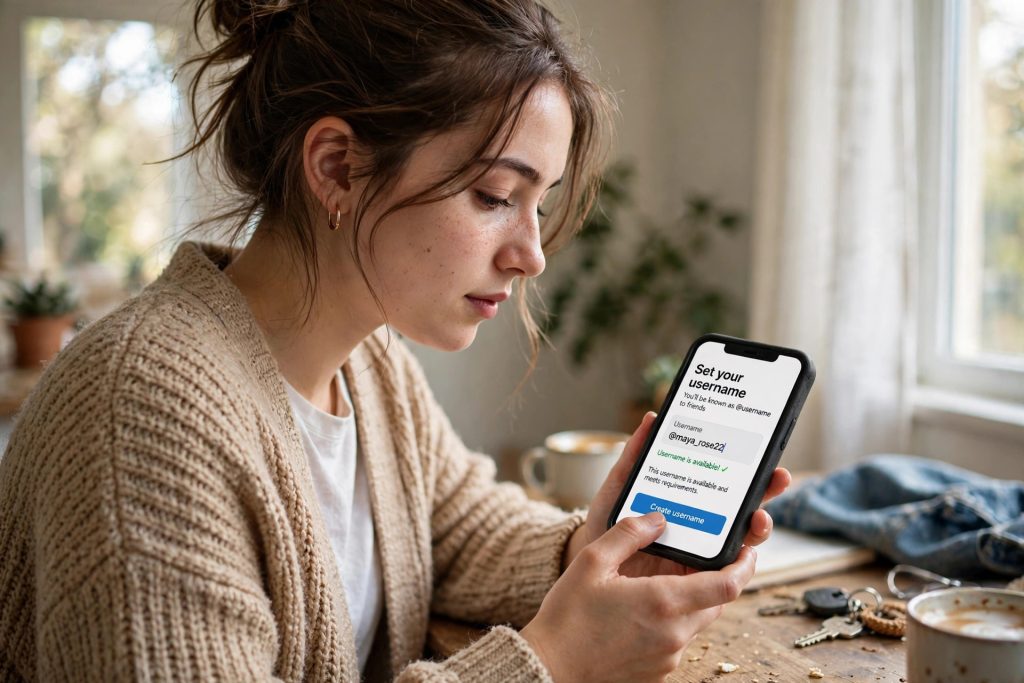
Your WhatsApp identity has always been your mobile number. That is convenient, but it has a cost: in Pakistan, we hand that number to everyone — the shopkeeper, the delivery rider, the stranger we bought a phone from on OLX, the person in a group chat we have never met.
That is finally changing. WhatsApp has opened username reservations, reported as starting this week (around 20 October 2026). Soon, people will be able to reach you through a username like the ones on Instagram — and your phone number can stay hidden.
The full messaging feature has not launched yet. Only the reservation window is opening. This guide explains what usernames are, how to reserve yours step by step, and the honest limits you should know before you get excited.
What Are WhatsApp Usernames?
A WhatsApp username is a unique @name attached to your account. WhatsApp says that when the feature fully launches later this year, rolling out gradually over the coming months, you will be able to start a first conversation with a person or a business without revealing your phone number — and that includes group chats, where your number is currently visible to everyone in the group.
Businesses, creators and organisations get an extra benefit: they can claim the same username they already use on Instagram or Facebook, so customers see one consistent name across all Meta apps.
WhatsApp says more than 3 billion users can reserve a username. That is also why this guide exists: the good names will not stay available for long.
How to Reserve Your WhatsApp Username: Step by Step
Reservation happens inside the app. The reported path is:
- Update WhatsApp from the Play Store or App Store — reservations are in the latest version.
- Open WhatsApp and go to Settings.
- Tap Account.
- Tap Username (if this option appears, reservations have reached your account).
- Type the username you want. WhatsApp has a built-in username generator that suggests available options if your first choice is taken.
- Confirm your choice to reserve the name.
If you complete these steps, the name is held for your account ahead of the full launch. WhatsApp says it will send an in-app notification when the feature reaches your country.
Do not see the Username option? Read the section near the end of this article — there is an honest reason for that, and it does not mean you have done anything wrong.
Why You Should Reserve Early
Reserving costs nothing and takes a minute, but waiting can cost you your name:
- Common names go first. With 3 billion+ users reserving, names based on real names, nicknames and shop names will be claimed quickly.
- Someone else can take “your” name. If a namesake or an unrelated person reserves the username you wanted, you will have to pick something else.
- Businesses need consistency. If your shop uses one name on Instagram and Facebook, reserving the same name on WhatsApp keeps your identity clean across all three apps.
Think of it like registering a good email address in the early days: the people who moved first got the clean names.
Choosing a Good Username: A 60-Second Strategy
Since the name you reserve is the one you will be known by, spend one minute choosing it properly:
- Businesses and creators: match your other apps. If your Instagram and Facebook already carry your shop’s name, reserve that exact name on WhatsApp. One name everywhere is how customers know the account messaging them is really you — and it is the consistency WhatsApp itself points to as the business benefit.
- Do not put your phone number in it. A username like yourname.0300xxxxxxx defeats the entire purpose of the feature, which is to stop handing your number to strangers. The same goes for your full date of birth — a username is an identifier, not a biography.
- Prefer spellable over clever. People will type this name from hearing it once — across a shop counter, on a phone call. A name that needs spelling out loud every time (“it’s ayy-double-you-ayy-ess…”) will cost you contacts.
- Prepare two fallbacks now. With billions of users reserving, your first choice may already be gone when the option reaches Pakistan. Having a ranked second and third choice ready — your name plus your city, or plus your trade — means you still finish reserving in one sitting instead of improvising under pressure. The in-app generator’s suggestions are a last resort, not a plan.
The Privacy Design: No Directory, and an Optional Secret Key
WhatsApp has designed usernames to be private by default, in two specific ways:
- There is no searchable directory or discovery page. Nobody can browse a list of usernames or search for people by name. Someone must know your exact username to reach you.
- An optional username key adds a second lock. If you turn it on, a sender needs your username and your key before they can message you — like a password for starting a chat.
Testing of the feature was already spotted on 17–18 October 2026 (reported by Digit, from screenshots shared by tipster Abhishek Yadav): searching an @username in WhatsApp’s search bar brought up the account even when it was not in the searcher’s contacts, with a Chat button — but the app asked for the account’s username key before a chat could start. So even when someone finds your exact username, the key can still stop them.
Here is how usernames compare with what you use today:
| Phone number (today) | Username (coming) | |
|---|---|---|
| How strangers reach you | Anyone who gets your number | Only people who know your exact username |
| Visible in group chats | Your number is shown | Your number can stay hidden |
| Finding people | Automatic contact sync | No directory — no public search or browse page |
| Extra protection | None | Optional username key a sender must also enter |
What Usernames Do NOT Change
Be clear about the limits, because some reports oversell this feature:
- Your number stays attached to your account underneath. A username sits on top of your number; it does not replace it or delete it.
- People who already have your number saved can still see it. Usernames hide your number from new contacts and strangers — they do not erase it from the phones of everyone who already knows it.
- Only reservation is open. You cannot message anyone by username yet. The full feature arrives later this year, in stages.
- Privacy debates are real. India’s government asked WhatsApp to halt the rollout there over fraud and impersonation fears (a MeitY notice in July 2026). That does not affect Pakistan directly, but it is exactly why the optional username key exists — and why you should turn it on when the feature launches.
What If the Username Option Is Not in Your Settings?
This is the honest part: availability in Pakistan has not been specifically confirmed yet. Reservations are opening in waves, by country and by account. Some rollout reports even conflict — some regions saw reservation earlier in 2026.
So if Settings → Account shows no Username option on your phone today:
- Update WhatsApp to the latest version.
- Check the same menu again in the coming days and weeks.
- Wait for WhatsApp’s in-app notification, which the company says will arrive when the feature reaches your country.
When the option appears, reserve immediately — that is the moment names in your country start going.
If you want to verify the details yourself, the original post is available on Marketing-Interactive.
Also read: WhatsApp Parental Controls: A Parents’ Guide to Keeping Teens Safe · How to Join a WhatsApp Call Without a WhatsApp Account
FAQs
Q: Has the WhatsApp username feature fully launched?
No. Only reservations are opening now, in waves. WhatsApp says messaging by username — starting chats without revealing your phone number — launches later this year, rolling out gradually over the coming months, with an in-app notification when it reaches your country.
Q: Can anyone search for me once I have a username?
Not through any directory. WhatsApp has confirmed there is no searchable username directory or discovery page, so someone must know your exact username to find you. If you also set a username key, they will need that key before they can message you at all.
Q: Does a username replace my phone number on WhatsApp?
No. Your number stays attached to your account underneath the username. People who already have your number saved can still see and use it. The username’s job is to hide your number from new people — first chats and group chats with strangers — once the full feature launches.
Q: The Username option is missing from my Settings. What should I do?
It means reservations have not reached your account yet. Availability varies by country and account, and Pakistan availability has not been specifically confirmed. Update WhatsApp, then check Settings → Account → Username again over the coming weeks. When it appears, reserve your name right away.