
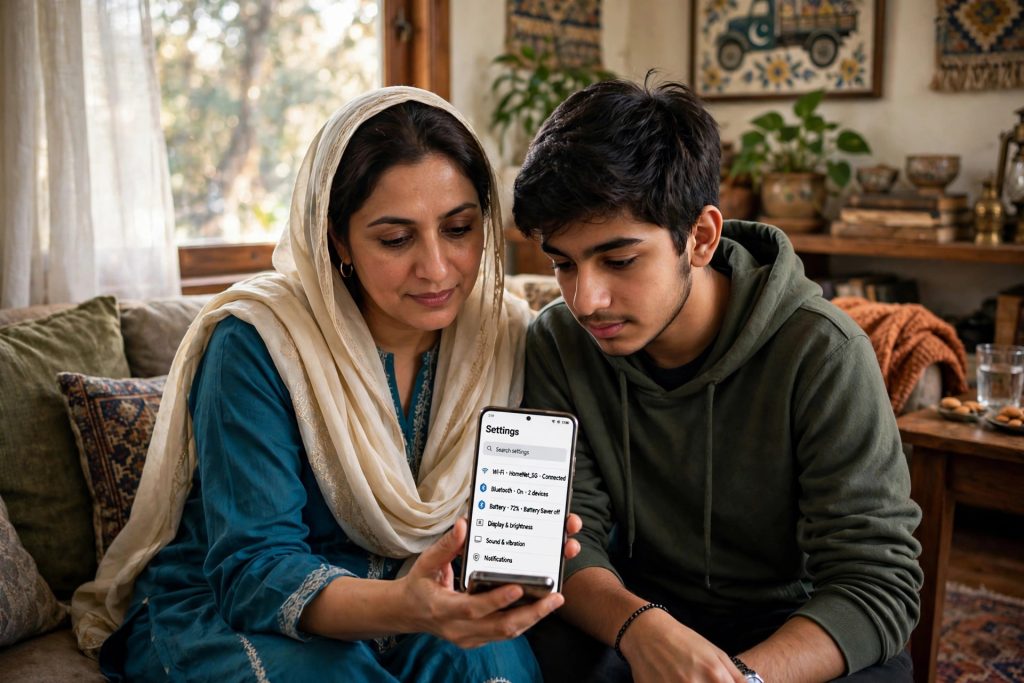
For most Pakistani teenagers, WhatsApp is where life happens — school groups, madrassa groups, cousins, friends, tuition teachers. As a parent, you want your child to enjoy that connection without running into strangers, unsuitable content, or pressure from unknown groups. Until recently, your only real option was to check the phone by hand.
On 30 September 2026, WhatsApp announced something better: built-in parental controls for teen accounts. They let a parent set sensible safety boundaries — who can add your teen to groups, who sees their profile photo, how they can use Meta AI — while their private chats stay private, even from you.
This guide explains what the controls actually do, how to switch them on together with your teen, what they cannot do (this part matters), and extra steps every Pakistani family should take.
What Are WhatsApp’s Parental Controls?
The parental controls are an optional layer of settings for a teenager’s WhatsApp account. A parent and teen set them up together, and the settings are locked with a parent PIN. Once the PIN is set, the teen cannot quietly loosen a restriction — any attempt to make a setting less strict needs the parent’s PIN first.
Nothing about this is forced. Your teen must agree to the setup, and the family can switch the controls off again at any time. Think of it as a safety agreement between parent and child, enforced by the app, rather than a spying tool — because, as you will see below, it deliberately cannot spy.
What Parents Can Control
Here is what the new settings cover:
| Setting | What the parent controls |
|---|---|
| Profile picture | Who can see the teen’s profile photo |
| Group invites | Who is allowed to add the teen to a group |
| Group alerts | A notification to the parent when the teen joins or leaves a group, or when a group’s membership suddenly grows |
| Meta AI | Whether the teen gets full Meta AI access or a “Limited Content” mode |
| Channels | Which Channels the teen can watch and follow |
| Status | Who can see the teen’s Status posts |
Two of these deserve a special mention. Group alerts solve a real problem: parents usually have no idea when their child is added to a large, unknown group. With alerts on, you hear about it the same day, not weeks later. And the Meta AI “Limited Content” setting switches the chatbot to a more restricted mode for younger users, which many parents will welcome.
How to Set Up Parental Controls (Step by Step)
You need your teen’s phone, your teen sitting with you, and about ten minutes:
- Update WhatsApp on your teen’s phone from the Play Store or App Store. New features only appear on recent versions, and this rollout is gradual.
- Sit together, open WhatsApp Settings on the teen’s phone, and look for the parental controls option. If it is not visible yet, the feature may not have reached the account — update the app and check again in a few days.
- Start the setup and confirm the teen’s agreement. WhatsApp designed this as an opt-in for both sides.
- As the parent, create a PIN and keep it private. This PIN is what protects every setting below.
- Go through each control one by one: profile picture, group invites, Channels, Status audience, and the Meta AI mode. Set each one together, and explain your reasoning as you go.
- Turn on group activity notifications, so you receive alerts when your teen joins or leaves a group or a group’s membership suddenly grows.
- Finally, test it: try changing one setting on the teen’s phone. It should ask for the parent PIN. If it does, you are set up correctly.
What Parental Controls Cannot Do — Honest Limits
This is the part many parents misunderstand, so let’s be completely clear:
- You cannot read your teen’s messages. Chats and calls stay end-to-end encrypted. WhatsApp states this plainly: parents manage settings and safety boundaries, not conversations.
- You cannot listen to calls or view chat content. The controls cover settings and alerts — not photos, videos, or messages inside chats.
- They only work inside WhatsApp. They do nothing about TikTok, YouTube, games, or the web browser. WhatsApp safety is one piece of your child’s online life, not the whole picture.
- They depend on agreement. Because the feature is opt-in, it works only while the family keeps it switched on — and the family can deactivate it at any time. The controls support a conversation; they do not replace one.
- They are not a location tracker. Nothing in this feature tells you where your child is.
One more warning: if someone tries to sell you a separate “WhatsApp spy app” that claims to read a teen’s messages, be careful. Those apps are usually scams or malware, and installing one can put your own family’s data at risk.
Extra Safety Tips for Pakistani Families
Combine the new controls with these habits and your teen is genuinely well protected:
- Talk first, set settings second. A teen who understands why a rule exists follows it far better than one who simply finds the phone locked down.
- Restrict group adds to “My Contacts.” Most stranger contact on WhatsApp starts with a random group add. Limiting adds to saved contacts blocks most of it.
- Turn on two-step verification on your teen’s WhatsApp (under Settings, in the account options). The extra PIN stops account hijacking, a common scam in Pakistan.
- Review the basics together: profile photo audience, “Last seen” visibility, and how to block and report anyone who makes them uncomfortable.
- Keep alerts in perspective. Joining a new group is usually innocent — a class group, a cricket team, a study circle. Use an alert as a prompt for a friendly chat, not an accusation.
FAQs
Q: Can I read my child’s WhatsApp messages with parental controls?
No. WhatsApp messages and calls remain end-to-end encrypted, and WhatsApp has confirmed that parents cannot read a teen’s chats. The controls only manage privacy settings, group membership, Channels, Status audience, and Meta AI access. If you want to know what your child is discussing, the honest route is a conversation, not an app.
Q: Does my teen have to agree to the controls?
Yes. The feature is optional and opt-in: the teen agrees during setup, the settings are protected by the parent’s PIN afterwards, and the family can deactivate the controls at any time. WhatsApp built this as a shared family safety tool, not secret monitoring software — which is exactly why it works better in the long run.
Q: The parental controls option is not showing on my child’s phone. What should I do?
First, update WhatsApp to the latest version from the Play Store or App Store and restart the phone. The feature was announced on 30 September 2026 and is rolling out gradually, so some accounts receive it later than others. If it is still missing, check again after the next app update — there is nothing wrong with the phone.
Q: What do the group alerts actually tell me?
You receive a notification when your teen joins a group, leaves a group, or when a group they belong to suddenly grows in membership. You do not see the group’s messages or any chat content. The alert simply lets you ask your teen about new groups early, while anything unusual can still be handled easily.
Sources
- https://www.jagranjosh.com/general-knowledge/whatsapp-new-changes-parental-controls-business-pricing-1820012681-1