
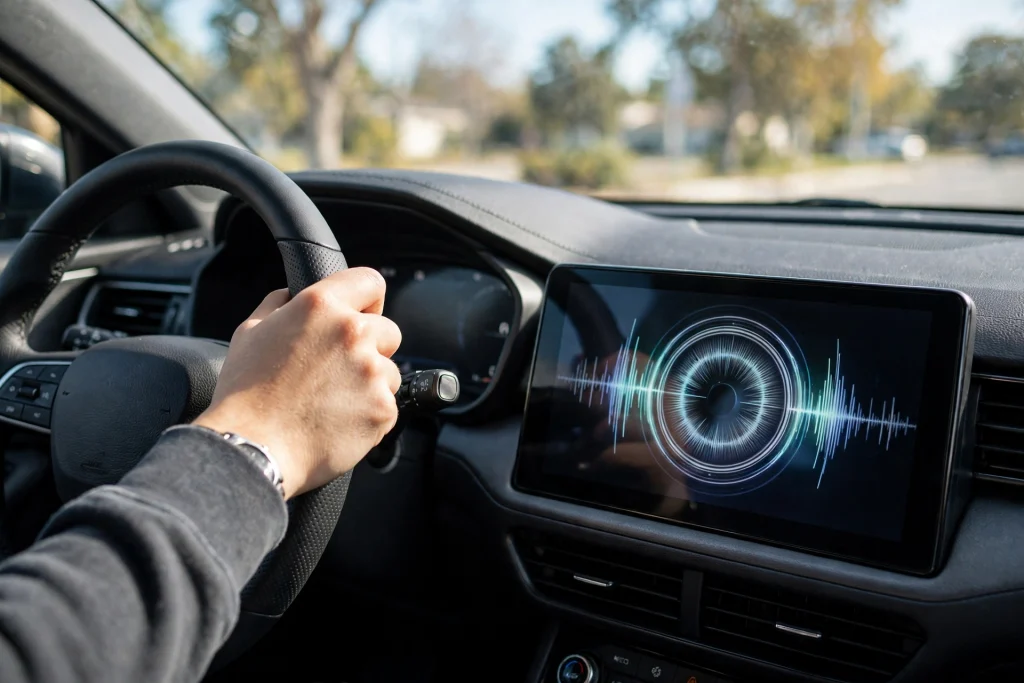
Imagine you are driving on a busy road in Lahore, Islamabad or Karachi. You press the voice button on your steering wheel and say, “Call Ammi.” Your car’s screen shows the right contact. Then Gemini asks, “Who do you want to call?” You repeat the name. Gemini asks the same question again. And again. The call never starts. That is the Android Auto Gemini call loop bug, and as of 6 November 2026, Google has not announced a fix for it yet.
This is not a small annoyance. Hands-free calling is the main reason many drivers use Android Auto at all. When the voice assistant cannot place a call, the whole point of the system breaks down. Drivers are left with two bad choices: fiddle with the screen while driving, which is dangerous, or pull over to make a simple phone call. In this guide, we explain exactly what the bug does, which phones are affected, what Google has said so far, and the workarounds that help some drivers for now. Nothing here promises a fix, because no fix exists yet.
This article is about a calling bug, not the Gemini Personal Intelligence feature in Android Auto that lets Gemini use your personal information to help you drive. That feature is a separate subject, covered in another GemTakes guide.
What Exactly Happens When the Bug Hits
The bug follows the same pattern every time. You give Gemini a voice command to call someone by name, for example “Call Ahmed” or “Call my wife.” Gemini responds by asking “Who do you want to call?” — even though you have already given it a name. You answer again. Gemini asks the same question again. The loop repeats, and the call is never dialled.
In some cases, the car screen even shows the correct contact’s name while Gemini keeps asking. The assistant appears to understand who you mean, but it still cannot complete the call. That detail matters, because it tells us the problem is not that Gemini cannot hear you or cannot find the contact. Something breaks between understanding the command and actually placing the call.
Texting is affected as well. Drivers who try to send a message by voice run into the same kind of failure. You say “Text Ali that I am on my way,” and the assistant gets stuck instead of sending the message. So the bug is not limited to phone calls. It affects the two most common voice tasks drivers use Android Auto for.
The bug does not affect every command. Music, navigation and other voice commands are not part of the reports. The problem is specific to calling and texting contacts by voice. That is what makes it so frustrating: the assistant works fine for everything else, and then fails at the one job many drivers need most.
Which Phones Are Affected
Reports published on 5 November 2026 name five phone models. But the list is not complete, and you should not assume your phone is safe just because it is not on it.
| Phone | Named in reports |
|---|---|
| Samsung Galaxy S24 | Yes |
| Samsung Galaxy S25 Ultra | Yes |
| Samsung Galaxy S26 | Yes |
| Google Pixel 10 | Yes |
| Google Pixel 10 Pro | Yes |
| Other Android phones | Possibly — the bug is not limited to any phone or build |
The technology site 9to5Google, which reported the bug on 5 November 2026, says clearly that the issue is not limited to any particular phone or Android Auto build. That means the five named models are simply the ones that appeared in user reports first. Other phones may be affected too, and more reports may arrive as more drivers update to the version of Gemini that runs in Android Auto.
If you drive with Android Auto and Gemini, and your voice calls have started failing in this loop, you may be affected even if your phone is not in the table above. The safest way to think about it is this: any Android phone running Gemini in Android Auto could run into this problem. Do not treat the list of five phones as a complete list, because the reports themselves say it is not.
There are no Pakistan-specific reports about this bug, and no numbers exist for how many Pakistani drivers are affected. The reports come from international users and technology sites. But Android Auto is used by drivers in Pakistan too, and Gemini is the assistant that now runs inside it. So if you use Android Auto in Pakistan, this guide applies to you in exactly the same way. The bug does not check your country before it appears.
When Did It Start?
Complaints about the loop began appearing in early October 2026. At first there were only a few reports. Then more drivers started reporting the same problem, and the reports grew as a wider Gemini rollout reached more cars and phones. By 5 November 2026, three major technology sites — SamMobile, Android Authority and 9to5Google — had all published reports about it on the same day. That is usually a sign that a bug has moved from a few isolated complaints to a real, recognised problem.
The timing makes sense when you look at what changed in Android Auto. Gemini replaced Google Assistant inside Android Auto on 29 September 2026. Before that date, drivers talked to Google Assistant in their cars. After that date, Gemini took over the same job. The call loop complaints started appearing within days of that switch, in early October. The change of assistant is the clearest dividing line in the timeline.
That does not prove the switch caused the bug. It only shows when the problem started appearing. Google has not said what causes it, and no confirmed cause exists as of 6 November 2026. But the timeline is worth knowing, because it tells you this is a recent problem tied to the new assistant, not an old fault that drivers have lived with for years.
What Google Has Said So Far
Google is aware of the problem and is investigating it. That is the most important thing Google has said, and it is also almost everything Google has said. No fix has been announced as of 6 November 2026, and no fix date has been given. Do not believe any post or video that claims a fix is out, because no such announcement exists.
Members of the Android Auto team are replying in the Android Auto Help Community threads where drivers report the bug. A team member named Deepika has been asking affected users for diagnostic information. The team wants to know the phone model, the Android build, the Android Auto version, the Google Play Services version, the vehicle and head-unit details, and whether the phone connects to the car by wire or wirelessly.
That request for information is a normal part of investigating a bug. It is not a diagnosis, and it is not a fix date. Google is collecting details so its engineers can reproduce the problem and find what causes it. Until that work is done, there is nothing to announce, and Google has announced nothing.
This matters for drivers because it sets honest expectations. The bug is being looked at by the right team. But “being investigated” is not the same as “being fixed this week.” Investigations take time, especially when a bug affects different phones, different cars and different connection types. Drivers should check for updates, but they should not expect a fix on a particular day, because Google has not promised one.
Workarounds That Help for Now
There is no confirmed workaround for this bug. That is the honest starting point. But users have reported two things that help some drivers, some of the time. Neither is guaranteed. Both are worth trying, because they cost nothing and they do not risk your phone or your car.
| Workaround | What to do | Status |
|---|---|---|
| Speak the phone number | Say the full number instead of the contact’s name | Works for some users only |
| Use the car screen phone app | Tap the phone app on the car display and dial from there | Works, but it is not hands-free |
| Wait for an update | Keep Android Auto and Play Services updated | No fix announced yet |
The first workaround is the most interesting. Some users report that if you speak the phone number directly — “Call 0300 1234567” — Gemini dials it, even though it cannot dial the same person by name. Nobody knows why this works. It may be that the bug sits in the step where Gemini matches a spoken name to a contact, and speaking the number skips that step entirely. Whatever the reason, it helps some drivers. It does not help all of them. Treat it as something to try, not as a fix.
The second workaround is simpler but less convenient. Open the phone app on your car’s screen, find the contact, and tap to call. This works because it does not use Gemini at all. The obvious problem is that it is not hands-free. You have to look at the screen and tap it, which is exactly what voice commands are meant to avoid. Use it only when the car is stopped, or when a passenger can tap the screen for you. Never try to tap through menus while driving at speed.
A third step is not a workaround at all, but it is still worth doing: keep Android Auto and Google Play Services updated. When Google does fix this bug, the fix will almost certainly arrive as an app update, not as a new Android version. In June 2026, an earlier Gemini calling bug in Android Auto was fixed through a Play Store app update. So updates are the channel to watch. Check the Play Store for Android Auto updates regularly, and turn on automatic updates if you have not already.
What NOT to Do
When a phone feature breaks, the internet fills up with advice. Some of it is harmless. Some of it can make things worse. For this bug, there are three things you should not do.
First, do not factory-reset your phone. No source recommends this, and it will not fix the bug. A factory reset wipes your apps, your settings and your data, and then you have to set everything up again. The bug lives in Gemini’s calling flow, not in your phone’s settings, so a reset would cause a great deal of pain for no benefit at all.
Second, do not downgrade Android Auto or Google Play Services, and do not sideload old versions of these apps from unofficial websites. Sideloading old versions can break other things, and it can expose your phone to security risks. No source recommends it for this bug. The June 2026 calling bug was fixed by updating forward, not by going backwards.
Third, do not expect Samsung to fix this. SamMobile, which first reported the bug for Galaxy phones, says Samsung probably cannot do anything about it. The assistant in your car is Google’s Gemini, and the investigation is Google’s. Your phone’s manufacturer did not create the bug, and it cannot fix it. The fix, when it comes, will come from Google.
Is This the First Time Gemini Has Had Calling Trouble?
No, but the earlier problems were different bugs, and they should not be confused with this one. In June 2026, Gemini in Android Auto had a calling bug that showed a “Something went wrong” message. That bug was fixed through a Play Store app update. Android Authority, which reported on both bugs, says nothing indicates the two are linked. They are separate problems that happen to affect the same feature.
The loop itself is even older. A similar “Who do you want to call?” loop appeared under Google Assistant in Android Auto back in August 2024. That does not make this a brand-new failure mode, and it does not make it the same bug either. What it shows is that voice calling in the car is a hard problem, and that the step of turning a spoken name into a placed call has failed before, under more than one assistant.
Why does this history matter? Because it tells you two useful things. First, Google has fixed calling bugs in Android Auto before, and it fixed the June 2026 one quickly through an app update. Second, this bug is not a sign that Gemini itself is broken in general. It is a specific failure in one specific flow. Both points are reasons for patience, not panic.
What to Do If It Happens to You
If the loop hits you while you are driving, follow these steps in order.
1. Keep your eyes on the road. The call is not worth an accident. If the call is not urgent, let it wait until you stop. No phone call is more important than arriving safely.
2. Try speaking the number. If you know the number, say it out loud instead of the contact’s name. For example, say “Call 0321 7654321.” This works for some users. If it works, use it as your temporary method for important calls.
3. Use the screen only when stopped. If you need to call and the voice method fails, pull over safely first, then use the phone app on the car screen. Or ask a passenger to dial for you. Never tap through the car’s menus while driving.
4. Report the bug to Google. Open the Android Auto Help Community and add your report to the existing threads. The team is asking for your phone model, Android build, Android Auto version, Play Services version, vehicle and head-unit details, and whether you connect by wire or wirelessly. Your report helps Google reproduce the bug and find the cause. It also helps other drivers, because a bigger pile of reports makes the problem harder to ignore.
5. Check for updates every few days. Open the Play Store, search for Android Auto, and check whether an update is available. Do the same for Google Play Services. When a fix arrives, it will most likely come this way. There is no need to check every hour. A quick check every few days is enough.
6. Do not pay anyone to fix it. No repair shop, no app and no paid service can fix this bug, because the fix has to come from Google. Anyone who offers to fix it for money is selling you something that does not exist. Save your money and wait for the official update.
The Bigger Picture
This bug is a reminder of how much modern driving depends on software that drivers never see. Ten years ago, a car phone was a simple thing: you pressed a button and the call went through. Today, your voice travels from a microphone to an assistant in the cloud, back to your phone, and then to the car. Every step has to work. When one step fails, the whole chain fails, and the driver is left repeating a name to a machine that already knows it.
For drivers in Pakistan, the lesson is practical. Android Auto is becoming more common here, and Gemini is now the assistant inside it. Knowing about this bug before it hits you means you will not waste time on factory resets or paid “fixes” that cannot work. You will know the two workarounds, you will know what Google has actually said, and you will know where to look for the fix when it arrives.
The bug will almost certainly be fixed. Google has fixed Android Auto calling bugs before, and it is actively investigating this one. The question is not whether a fix will come, but when. Until then, the honest position is the one Google itself has taken: the problem is known, it is being investigated, and there is no fix yet. Anything else is guesswork.
Our reporting on this bug is based on reports from SamMobile, published on 5 November 2026, with supporting reports from Android Authority and 9to5Google on the same day.
FAQs
Is there a fix for the Android Auto Gemini call loop bug yet?
No. As of 6 November 2026, Google has not announced a fix or a fix date. Google is aware of the problem and is investigating it, and its team is collecting diagnostic information from affected drivers. When a fix is ready, it will most likely arrive as an Android Auto or Play Services update through the Play Store.
Which phones are affected by the bug?
Reports name the Samsung Galaxy S24, Galaxy S25 Ultra, Galaxy S26, Google Pixel 10 and Google Pixel 10 Pro. But the list is not complete. 9to5Google says the issue is not limited to any particular phone or Android Auto build, so other Android phones may be affected too. If your voice calls fail in this loop, your phone may be affected even if it is not on the list.
Can I fix it by resetting my phone or installing an old version of Android Auto?
No, and you should not try. No source recommends a factory reset, a downgrade or sideloading old versions. A factory reset wipes your data and will not fix the bug, because the bug is in Gemini’s calling flow, not in your phone’s settings. Sideloading old versions can break other things and expose your phone to security risks. The safe move is to use the workarounds in this guide and wait for Google’s official update.
Does speaking the phone number instead of the name always work?
No. Some users report that saying the full number directly works when saying the contact’s name fails, but it does not work for everyone. There is no confirmed workaround for this bug and no confirmed cause. If speaking the number does not work for you, use the phone app on the car screen while the car is stopped, or pull over and use your phone directly.