
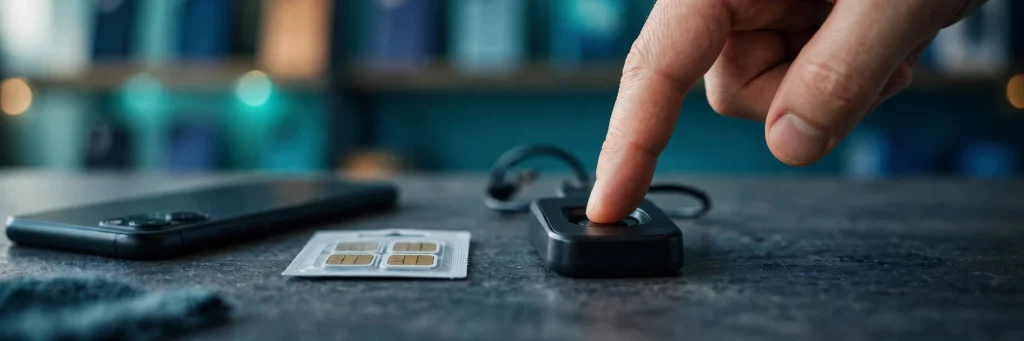
You walk into a mobile shop to buy a new SIM, you hand over your CNIC, you press your thumb on the little scanner — and the screen says the fingerprint did not match. The shopkeeper tries again. It fails again. The sale stops there, and no matter how long you stand at the counter, no SIM comes out of the drawer. This is one of the most frustrating experiences a mobile user in Pakistan can have, and it usually ends in an argument that solves nothing.
This guide explains what actually happened at that counter, why the shopkeeper could not help you even if he wanted to, and the proper route PTA provides for exactly this situation. The short version is this: a failed fingerprint match is not the retailer’s decision, it cannot be argued away, and there is a defined process for it — but that process does not run at an ordinary retail shop. Knowing where to go instead saves you the wasted trip, the argument, and often a second failed visit.
How Biometric Verification Works at the SIM Counter
Every new SIM sold in Pakistan goes through the Biometric Verification System, usually called BVS. This is not a shop policy or a network’s own rule. It is the system through which SIMs are legally sold in the country, and every retailer who sells SIMs works inside it.
The process is simple on the surface. When you buy a SIM, the retailer places your finger on a scanner. The scanner reads your fingerprint and sends it for checking against the record NADRA holds for your CNIC. If the fingerprint matches the record, the sale goes ahead and the SIM is issued in your name. If it does not match, the system refuses the sale.
That refusal is the whole point of the system. SIMs in Pakistan are tied to a verified identity, and the fingerprint check is the step that proves the person standing at the counter is the person named on the CNIC. Without a successful match, the SIM cannot be issued, because the system has no verified link between you and the number. This is why the process feels so rigid: it is designed to be rigid. A SIM that is issued without a verified match would defeat the entire purpose of biometric verification.
Understanding this one fact changes how you should handle a failure. The match is not a judgement call made by the person behind the counter. It is a system result, produced by comparing your fingerprint with NADRA’s record. The shopkeeper sees the same result you do, and he has no button, password, or override that changes it.
The Retailer Cannot Override a Failed Match
This is the most important line in this whole guide, and it is worth stating plainly: the retailer cannot override a failed match.
If your fingerprint does not match, no amount of discussion at the counter changes the result. The retailer cannot skip the check, cannot approve the sale manually, and cannot enter your details by hand to get around the system. The Biometric Verification System simply does not give him that power. Arguing with him, asking him to “just do it this once,” or offering to come back with extra documents does not unlock a hidden option, because there is no hidden option at that counter.
This is not the retailer being unhelpful. It is the retailer being bound by the same system that binds every SIM seller in the country. A shop that could override fingerprint failures at will would be a shop that could sell SIMs to anyone, verified or not — and that is exactly what the system exists to prevent. So when the match fails, the correct response is not to push harder at the same counter. It is to leave that counter and follow the route that actually exists for your situation, which is described in the sections below.
It also helps to know what the retailer can do. He can retry the scan, because a single bad read — a finger placed at the wrong angle, a dusty scanner, a damp thumb — can fail even when your record is fine. If a careful retry still fails, he can tell you where to go next. What he cannot do is force the system to accept a match that did not happen. Once you accept that, the rest of this guide becomes a practical plan instead of a dead end.
Why Fingerprints Fail to Match
A failed match does not always mean something is wrong with you or your CNIC. There are a few distinct situations, and which one you are in decides where you should go next.
The first group is people whose fingerprints genuinely cannot be verified. PTA’s own guidance names three situations here: old age, amputation, and allergies. With advancing age, fingerprints can wear down to the point where a scanner cannot read them clearly. A person who has lost a finger, or whose fingers are affected by a condition or allergy that changes the skin, may simply not have a readable print to offer the scanner. In these cases the problem is not the record and not the shop — it is that the biometric itself cannot be captured.
The second group is people whose fingerprints are readable but do not match the record NADRA holds. This can happen when the data on file is out of date or inconsistent — for example, if the record against your CNIC does not line up with the person standing at the counter. In this kind of case, the fingerprint is fine as a fingerprint; it is the mismatch between the live scan and the stored record that blocks the sale.
The third group is the simple, everyday failure: a bad scan. A finger pressed too lightly, too hard, or at an angle, a dirty scanner glass, or a rushed attempt can all produce a failed read even when everything else is in order. This is why a careful retry at the counter is always worth doing before you assume the worst. But if repeated, careful attempts all fail, you are almost certainly in one of the first two groups, and the counter is no longer the place to solve it.
Knowing which group you are in matters, because the two main routes out of this problem are different. The alternate process is for the first group. The NADRA data route is for the second. The sections below take each in turn.
PTA’s Alternate Process: Who It Covers and Where It Works
PTA provides an alternate process for people whose biometrics cannot be verified. This is the official route for the first group described above — people whose fingerprints cannot be read because of old age, amputation, or allergies. If that describes you, you are not stuck, and you are not expected to keep failing at shop counters. There is a process built for your situation.
But the alternate process has a strict limit on where it works, and this is where most people go wrong: it works only at operator customer service centres and selected franchises. It does not work at an ordinary retailer. The small shop where you buy recharge cards, the corner mobile shop, the franchise counter that only sells SIMs through the standard scanner — none of these can run the alternate process for you. If you walk into an ordinary retailer and ask for the alternate process, you will be turned away, not because the staff are unwilling, but because that location does not have access to it.
So the practical step is to go to the operator’s own customer service centre, or to one of the selected franchises that handle this process. These are the larger, official service points run by the mobile operators themselves, not the small retail outlets. When you arrive, explain plainly that your fingerprint could not be verified at a retailer and that you are there for the alternate process. The staff at a customer service centre deal with this route as part of their regular work, and they can tell you whether your case qualifies and what happens next.
One honest limit belongs here. This guide cannot promise that any particular case will be approved. The alternate process exists for the situations PTA names — old age, amputation, allergies — but whether a specific person qualifies is decided through that process itself, case by case. What can be said with confidence is that the process exists, that it runs at customer service centres and selected franchises, and that it is the correct next step if your biometrics cannot be verified. Do not let anyone at an ordinary shop promise you an approval they cannot deliver, and do not pay anyone who claims they can arrange it for you.
If Your Case Is Not Covered by the Alternate Process
If your fingerprints are readable but the match keeps failing, your route is different. In this situation, the sales agent will send you to NADRA to update your data. That is the correct next step, and it is worth taking seriously rather than treating it as a brush-off.
The logic is straightforward. The SIM sale failed because the live fingerprint did not match the record NADRA holds. The retailer cannot change that record, and neither can the operator’s customer service centre in the normal course of a SIM sale. The record itself has to be corrected or updated at NADRA, so that the next time a scanner checks your fingerprint, it matches what NADRA has on file.
This is also why it is important to keep this route separate from other NADRA services you may have heard about. Changing your CNIC photograph or permanent address through the PakID app is a different process, covered in its own guide on this site — it is a CNIC update done through an app, not the SIM-counter fingerprint failure route described here. Do not confuse the two. If a sales agent sends you to NADRA over a fingerprint mismatch, the task is the biometric record itself, and that is what you should ask NADRA about when you get there.
A short note on expectations: this guide does not invent a fee, a form name, or a timeline for the NADRA step, because those details are not part of the verified guidance for this route. When you visit NADRA, ask directly what your case needs, and get the answer from the counter rather than from forwarded messages or shop gossip. That keeps you from paying for a shortcut that does not exist.
There Is No Online Fingerprint Fix
This point needs its own section, because it is where people lose money. There is no online fingerprint fix. The fingerprint match happens on a physical device at a franchise or a customer service centre. No website performs this step, no app completes it from home, and no online form can substitute for pressing your finger on the scanner at an authorised location.
Anyone who tells you otherwise — a message claiming your fingerprint can be “fixed” or “activated” online for a fee, a social media post offering to clear a failed match remotely, a shopkeeper offering to handle it through some website — is not describing a real process. The match is a physical, device-based check against NADRA’s record, and it cannot be done over the internet. Treat any offer of an online fix as a warning sign, not a solution, and do not pay for it.
This also means you should be sceptical of anyone who claims they can “verify” your SIM from their own phone or computer. The verification step belongs to the operator’s authorised device at the franchise or customer service centre. If the fix is not happening on that kind of device, in that kind of location, it is not the real process.
Step by Step: What to Do From the Counter
Here is the practical sequence, in order, for the next time a fingerprint fails at a SIM shop.
First, stay calm and ask for a careful retry. Place your finger flat and steady on the scanner, exactly as the retailer guides you. A single failed read is not a verdict. If a careful retry succeeds, the sale goes ahead and the whole problem disappears.
Second, if repeated careful attempts fail, stop pushing at that counter. Remember the rule from earlier in this guide: the retailer cannot override a failed match. Thank him, and ask him one useful question — which customer service centre or selected franchise of that operator handles the alternate process nearest to you. The retailer may know, and even if he does not, you now know what to look for.
Third, decide which route fits your situation. If your fingerprints cannot be verified because of old age, amputation, or an allergy affecting your fingers, go to the operator’s customer service centre or a selected franchise and ask for the alternate process. If your fingerprints are readable but the match keeps failing, go to NADRA to update your data, as the sales agent advised.
Fourth, carry your original CNIC with you wherever you go next. Every step in this process is tied to your CNIC, and the original card is what the staff at a service centre or NADRA will ask for. Do not rely on a photocopy or a photograph of the card alone.
Fifth, at the service centre or franchise, state your situation plainly: your fingerprint failed at a retailer, repeated attempts did not work, and you are there for the alternate process or for guidance on the mismatch. Ask what the next step is for your case, and note down what you are told — the name of the process, any reference given to you, and what you are asked to bring back if anything is still needed.
If the Franchise Cannot Fix It: Escalate the Right Way
Sometimes even the franchise or customer service centre cannot resolve the problem on the spot. That does not mean you are out of options. It means you move to the formal escalation route, and the order of steps matters.
First, ask for a complaint number. When a service centre cannot fix your issue, getting the complaint registered — and getting its number — creates a record that your case exists and was raised. Keep that number safe. It is the reference you will need for everything that follows, and it stops your case from becoming a verbal complaint that nobody can trace.
Second, if the complaint does not resolve the issue, escalate to PTA itself. PTA’s complaint portal and its helpline at 0800-55055 are the escalation channels reported in the related blocked-SIM guide, and they are the right place to take a case that an operator’s own channel could not close. When you escalate, have your CNIC details and your complaint number ready, and describe the situation in order: the failed match at the retailer, the visit to the franchise or service centre, and the complaint number you were given. A clear, ordered complaint is far more likely to move than a frustrated retelling.
Escalation is not a threat to wave at the counter. It is a formal step that exists precisely for cases that the normal channels could not resolve. Use it in order — complaint number first, PTA second — and keep a note of every reference you receive along the way.
At a Glance: Where to Go for Each Situation
| Your situation | Where to go | What to ask for |
|---|---|---|
| Fingerprint fails once, may be a bad scan | Same retailer counter | A careful retry of the scan |
| Fingerprint cannot be verified due to old age, amputation or allergies | Operator customer service centre or selected franchise | PTA’s alternate process |
| Fingerprint is readable but does not match the record | NADRA, as advised by the sales agent | Update of your data on record |
| Franchise or service centre cannot fix it | PTA, after getting a complaint number | Escalation via the complaint portal or helpline 0800-55055 |
| Someone offers an online fingerprint fix | Nowhere — do not pay | Nothing; there is no online fix |
The details of the alternate process, the limits on where it works, and the escalation route are covered in full by Pakera, which reported on PTA’s guidance for buyers whose fingerprints do not match at the SIM counter.
Also read: NADRA CNIC Photo & Address Change From Home: PakID App Step-by-Step (October 2026) and MNP in Pakistan: How to Switch Network Without Changing Your Number (2026 Guide)
FAQs
Can the shopkeeper sell me a SIM if my fingerprint does not match?
No. Every new SIM in Pakistan is sold through the Biometric Verification System, and a failed match stops the sale. The retailer has no override, no manual option, and no way to skip the check. If the match fails after careful retries, the sale cannot go ahead at that counter, and the correct step is to follow the alternate process or the NADRA route described in this guide.
Where does PTA’s alternate process work?
Only at operator customer service centres and selected franchises. It does not work at an ordinary retailer. If you go to a small shop and ask for the alternate process, you will be turned away because that location does not have access to it. Go to the operator’s own service centre or a selected franchise and ask for the alternate process there.
Who is the alternate process for?
It is for people whose biometrics cannot be verified because of old age, amputation, or allergies affecting their fingers. If your fingerprints are readable but the match keeps failing for another reason, the sales agent will instead send you to NADRA to update your data. Whether any particular case qualifies is decided through the process itself, so no one at a shop can promise you an approval in advance.
Can I fix a failed fingerprint match online?
No. The fingerprint match happens on a physical device at a franchise or customer service centre, and no website performs this step. Anyone offering an online fix for a fee is not describing a real process. If a franchise or service centre cannot resolve your case, ask for a complaint number and then escalate to PTA through its complaint portal or the helpline 0800-55055.