
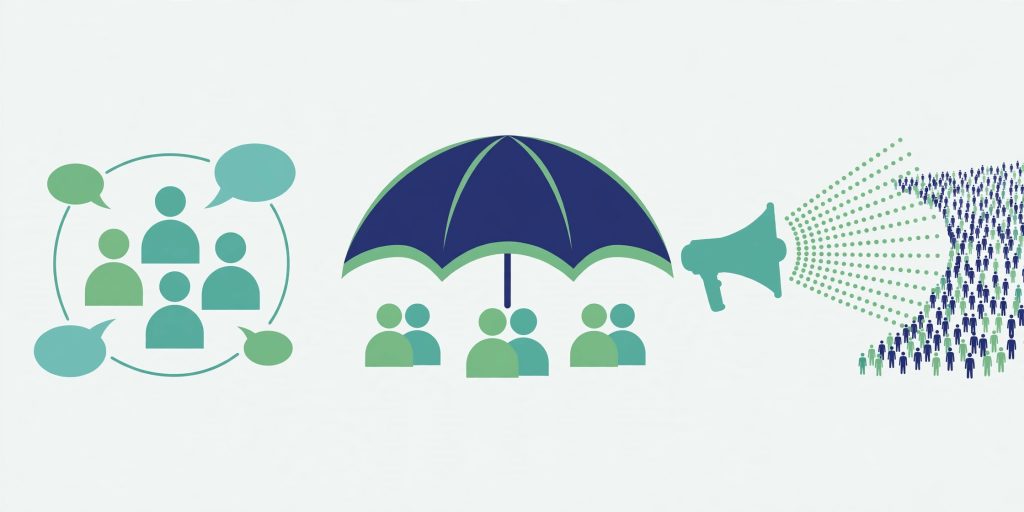
WhatsApp now gives you three different ways to reach a crowd, and they are constantly confused with each other. A Group is a conversation. A Community is an umbrella that organises many groups under one roof. A Channel is a one-way broadcast to an unlimited audience. Pick the wrong one and you get a flooded chat, a privacy problem, or an audience of twelve people who cannot reply to you.
This guide compares all three on the things that actually matter — size limits, who can post, whose phone number is visible, and how people join — and ends with a straight recommendation for families, schools, mohallas, shops and creators in Pakistan.
The Whole Comparison on One Table
| Group | Community | Channel | |
|---|---|---|---|
| Purpose | Two-way conversation | Organising related groups + announcements | One-way broadcast |
| Size limit | 1,024 members (admins included) | 100 groups, 2,000 members total | No published follower limit |
| Who can post | Everyone (unless set to admins-only) | Anyone in member groups; only admins in the Announcement group | Admins only |
| Replies | Full replies | Full replies inside member groups | None — emoji reactions and polls only |
| Your number visible to | All members | Community admins, people who saved you, members of your own group | Nobody — hidden from followers and vice versa |
| How people join | Added by admin, or invite link/QR | Invite link (no directory) | Searchable directory + link |
| History | Full chat history | Full chat history in groups | Updates stored up to 30 days |
| Encryption | End-to-end encrypted | End-to-end encrypted | Not end-to-end encrypted by default |
| Create from WhatsApp Business | Yes | No — standard app only | Yes |
Groups: The Conversation (1,024 People, Numbers Visible)
A group is the original WhatsApp crowd: up to 1,024 members, admins included — a cap WhatsApp reached in November 2022 after raising it from 512 (and 256 before that). Once a group is full, nobody new can join until someone leaves.
Groups are two-way by default: everyone can post. An admin can switch Group permissions → Send messages to “Only admins”, which makes members read-only — useful for a school notice group that is not actually a Community. Admins can also add and remove members, edit the group’s name, icon and description, control who can edit info or add members, and approve new members joining via the link.
The privacy fact to never forget: in a group, every member can see your phone number. There is no setting to hide it. That is fine for family and friends; it is a genuine problem for a group of 900 strangers from a housing society. Groups are also not discoverable — there is no directory; people join only by being added or through an invite link or QR code. Any normal account can create one in seconds (Chats → New group), with a name of up to 100 characters.
Communities: The Umbrella (100 Groups, 2,000 Members Total)
A Community is not a bigger group chat. It is a parent layer that links related groups — one per street, per class, per department — under a single name, description and icon, so people chat in the right small group instead of one giant noisy one.
The current limits: up to 100 groups linked in one Community, and 2,000 members counted across all of them (plus the Announcement group) — not 2,000 per group. When the Community is full, nobody can be added until someone leaves.
The 5,000-Member Figure Is Outdated
If a guide tells you a Community holds 50 groups and 5,000 members, it is quoting WhatsApp’s November 2022 launch numbers. Those were the original caps. WhatsApp’s Help Center currently lists 100 groups and 2,000 total members — corroborated by multiple independent 2026 guides that read the Help Center directly — and no official increase above those figures has been announced since. Plan your school or society around 2,000, not 5,000, and treat any “250,000 members per Community” claim (one guide multiplies sub-group limits together) as simply wrong.
Announcements and the Number-Privacy Fix
When you create a Community, WhatsApp automatically creates an Announcement group. Only community admins can post in it, every member receives those posts, and members cannot leave Announcements without leaving the whole Community — new members who join through the Community link land in Announcements first, then browse the member groups open to them. Members cannot start new posts in Announcements; they can react to them (and in newer versions, reply inside a thread attached to an announcement).
Privacy is a Community’s biggest upgrade over a plain group. After a July 2023 fix, your number stays hidden across the Community except to community admins, people who have saved your number, and members of your own sub-group — reacting to an announcement no longer exposes it to hundreds of strangers. In the Announcement group, everyone can see the total member count, but only admins see who the members are. Like groups, Communities are invite-only: no search, no directory.
Two creation facts that trip up Pakistani shop owners: any standard WhatsApp account can create a Community — but not from the WhatsApp Business app. Help Center guidance says a Community cannot currently be created from WhatsApp Business; in Business you can only take part in Communities you already belong to. Create it in the regular app first. Community admins can post announcements, add or remove member groups, approve member-suggested groups, promote or remove admins and members, control who can add groups, and edit the Community’s name, description and photo.
Channels: The Broadcast (Unlimited, Numbers Hidden)
A Channel is a one-way broadcast tool in the Updates tab: admins post text, photos, videos, stickers and polls; followers cannot reply — they can only react with emojis and vote in polls. WhatsApp has never published a follower limit — channels are the only one of the three with no audience cap — and you cannot add followers; people must choose to follow you.
Privacy is total in both directions, in WhatsApp’s launch words: “As a channel admin, your phone number and profile photo won’t be shown to followers. Likewise, following a channel won’t reveal your phone number to the admin or other followers.” A channel owner can invite up to 16 admins at a time (from contacts or followers; only the owner can delete the channel, invites expire in 7 days), and updates are stored for up to 30 days before being deleted from WhatsApp’s servers — there is no permanent archive. Channels are discoverable: a searchable, country-filtered directory in the Updates tab (New / Most Active / Popular), plus shareable links. And unlike groups and Communities, channels are not end-to-end encrypted by default.
Which One Should You Create?
- Extended family (one conversation, everyone knows each other): a Group. Two-way chat, well under 1,024, numbers visible only to relatives.
- Mohalla / housing society (several streets or blocks, plus notices for all): a Community. One group per street or topic for daily chat, admin-only Announcements for the water-supply and security notices that must reach all 2,000.
- School (classes + whole-school notices): a Community — one group per class, announcements from the office to every parent, and parents’ numbers hidden across classes.
- Small shop: both patterns work — a Group for a VIP customer circle you actually converse with, or a Channel for offers broadcast to unlimited followers with your number hidden. Remember the Business-app trap above if you also want a Community.
- Creator, news page, public figure: a Channel, only. Unlimited followers, directory discovery, no replies to moderate, no number exposure.
And the growth ladder when you outgrow a format: a group that hits 1,024 cannot accept anyone new — split it into topic groups under a Community (2,000 total). Outgrow even that, or find announcements are all you really send, and the broadcast belongs on a Channel with no ceiling at all.
The size limits and privacy behaviour above follow WhatsApp’s Help Center as reproduced in Kanal’s October 2026 Communities guide, cross-checked against the Channels launch statements from June 2023.
Also read: How to Create a WhatsApp Channel in Pakistan · How to Use Two WhatsApp Accounts on One Phone
FAQs
Q: How many members can a WhatsApp group, Community and Channel have?
A group holds up to 1,024 members including admins. A Community links up to 100 groups with 2,000 members counted across all of them — the 50-groups / 5,000-members figures still quoted by many guides are WhatsApp’s outdated November 2022 launch numbers. A Channel has no published follower limit at all; it is the only WhatsApp format with an unlimited audience.
Q: Who can see my phone number in each format?
In a group: everyone — all members can see your number, with no setting to hide it. In a Community: only community admins, people who have already saved your number, and members of your own sub-group; other members cannot see it. In a Channel: nobody — an admin’s number and photo are hidden from followers, and followers’ numbers are hidden from admins and from each other.
Q: Can I create a Community or a Channel from the WhatsApp Business app?
A Channel, yes — channel creation works in both the standard app and WhatsApp Business. A Community, no: WhatsApp’s Help Center says a Community cannot currently be created from the Business app, where you can only participate in Communities you already belong to. Shop owners should create the Community in the regular WhatsApp app first.
Q: My group is full at 1,024. What is the next step?
Nobody new can join a full group until someone leaves, so growth means restructuring: split the membership into topic or area groups and link them under one Community (2,000 members total across its groups, with an admin-only Announcement group for your broadcasts). If most of your traffic is one-way announcements anyway, moving those to a Channel removes the ceiling entirely — followers are unlimited and nobody’s number is exposed.
Pingback: WhatsApp Polls & Events in Groups 2026: Create, Edit, RSVP