
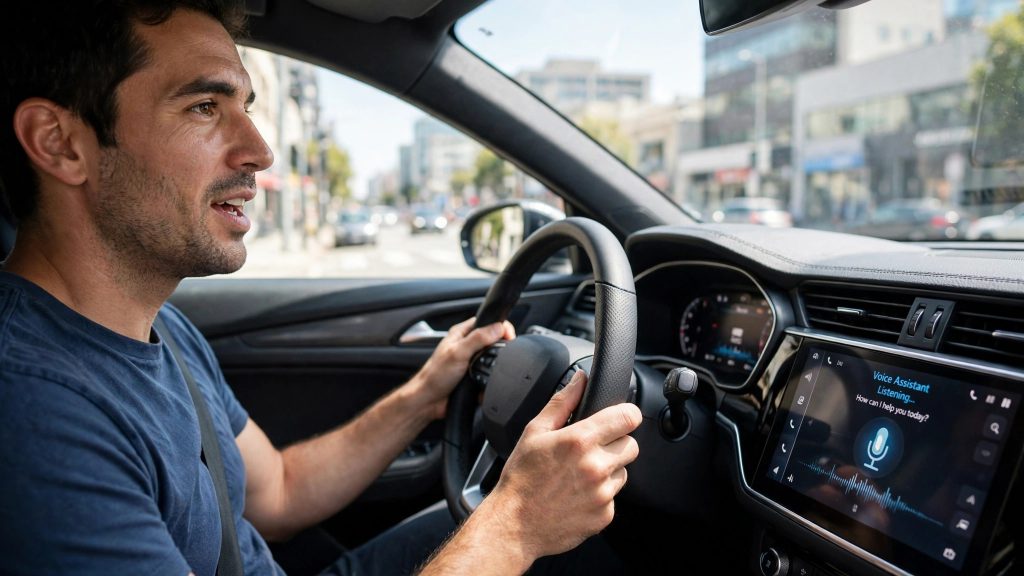
Your car assistant is about to get much more personal. On 20 October 2026, Google announced Personal Intelligence for Gemini in Android Auto — a feature that lets the in-car assistant look into your own Gmail, Calendar, Maps, Photos, YouTube, and Search (with your permission) so it can answer questions about your day, not just the world in general.
Rollout to Android Auto began on 21 October 2026. Here is what it does, what Google says about privacy, who gets it first, and what it means if you drive in Pakistan.
What Is Personal Intelligence?
Until now, Gemini in the car could answer general questions and handle basic commands: call someone, play music, navigate to an address you spell out. Useful, but it knew nothing about you.
Personal Intelligence changes that by letting Gemini reason across your connected Google apps. Instead of opening three apps yourself, you ask one question and Gemini finds the detail — a flight number buried in an email, the address inside a calendar appointment, a place you photographed last week — and combines it into a single answer or action.
Google is clear that this only works with your permission: you must switch Personal Intelligence on and connect the apps before Gemini can use any of this personal context.
What It Can Do While You Drive
- Flight checks from your email. Ask, “Is my flight on time, and which gate is it?” Gemini can find the booking confirmation in Gmail and help retrieve the status — very handy on the way to the airport.
- Navigate to appointments without typing. Say “Take me to my next appointment,” and Gemini can read the location from your Calendar event and start navigation for you.
- Find places from your photos. Ask for directions to “that car wash in my photos from last week,” and Gemini can identify the place from Google Photos and route you there.
- Combined questions. Because it reasons across sources, one request can cover several apps at once — a booking detail from Gmail plus directions from Maps, for example.
| Connected app | What it adds in the car |
|---|---|
| Gmail | Flight confirmations, booking and order details |
| Google Calendar | Appointment times and addresses for navigation |
| Google Maps | Destination search and turn-by-turn navigation |
| Google Photos | Places identified from your pictures |
| YouTube & Search | Extra context for answers, where supported |
Rollout: Who Gets It, and When
- Android Auto: the rollout began on 21 October 2026, and it is phased — even eligible users may not see the feature on day one.
- Cars with Google built-in: the same capability is coming “in the coming months.” On those cars, personalized responses are available when your phone is connected to the car.
- Accounts: you need a personal Google account, and you must be 18 or older. Work (Workspace) and education accounts are not included.
- Regions: at launch, Google is not offering it in the European Economic Area, Switzerland, the United Kingdom, and Nigeria. Pakistan is not on that exclusion list — more on this below.
Availability also depends on your phone, your car or head unit, and language settings, so two drivers with the same car can receive the feature weeks apart.
The Privacy Side: What to Check Before You Switch It On
An assistant that can read your email and calendar deserves a careful minute before you enable it. The good news: this is opt-in, and Google says the car’s basic features — navigation, music, calls, and general questions — keep working normally without it. Before turning it on, check these points:
- You choose the connections. Personal Intelligence only uses the apps you connect. Happy with Calendar but not Gmail? Connect only Calendar.
- You can switch it off. The feature can be managed and turned off in your Gemini settings at any time. Switching it off stops the personalized answers.
- Remember who can hear. Answers are spoken aloud in the car. Flight details, appointment names, and similar information will be audible to your passengers — think about that before asking sensitive questions with a full car.
- Verify important details. Google itself notes that AI answers can contain errors. For flight times, gates, and appointment addresses, glance at the source when you are safely parked; don’t treat a spoken answer as final.
- Keep your eyes on the road. This feature is designed for voice use. If a request needs reading or typing, it can wait until you stop.
What It Means for Drivers in Pakistan
For Pakistani drivers, the picture is cautiously positive. Pakistan is not among the regions Google excluded from this launch, so eligible Pakistani accounts are in line for the rollout as it expands. In practice, you need an Android phone that supports Android Auto and Gemini, a car or aftermarket head unit that supports Android Auto (common in many newer locally sold and imported cars), and a personal Google account with the feature switched on.
The everyday uses translate well to local driving: asking for your flight’s status on the way to Karachi, Lahore, or Islamabad airport, navigating straight to a meeting address from your calendar, or finding a workshop you photographed last month. Just remember the rollout is gradual and happens account by account — if the Personal Intelligence option is not in your Gemini settings yet, that is normal, not a fault with your phone.
One practical note: like any cloud-based assistant, it needs a working mobile data connection to fetch your information. On stretches of road with weak coverage, expect it to be slower, or simply unavailable until the signal returns.
FAQs
Q: Do I have to turn Personal Intelligence on?
No. The feature is completely optional. You must enable it and connect your apps before Gemini can use your personal information in the car. If you never switch it on, Android Auto keeps working as before — navigation, music, calls, and general questions are unaffected; the answers just won’t be tailored to you.
Q: When will it reach my car?
The Android Auto rollout started on 21 October 2026 and is phased, so it may take days or weeks to appear on your account. Cars with Google built-in follow in the coming months. There is no button to force the update — keep your phone and apps updated, and check your Gemini settings from time to time.
Q: What personal data can Gemini actually use in the car?
Only the connected services you allow: Gmail, Google Calendar, Google Maps, Google Photos, YouTube, and Google Search. Gemini uses them to find things like flight confirmations, appointment addresses, and places from your photos. You control the connections, and you can disconnect an app or switch the whole feature off in Gemini settings whenever you like.
Q: Can I use it with my work or school Google account?
No. Personal Intelligence in Android Auto is limited to personal Google accounts for users aged 18 and above. Google Workspace (work) and education accounts are excluded from this rollout, so if your phone is signed in with an office or school account, the feature will not appear for that account.
Sources
- https://www.itechpost.com/articles/237608/20261021/google-gemini-ai-brings-personal-intelligence-android-auto-your-smarter-car-assistant.htm
- https://emergent.sh/news/google-gemini-ai-gets-personal-intelligence