
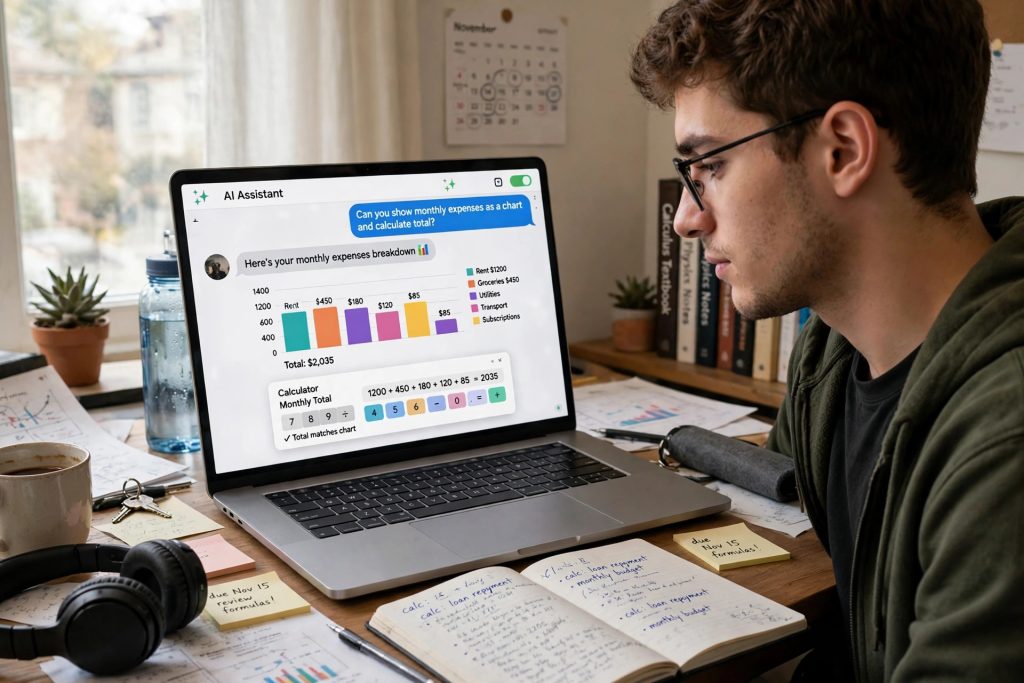
ChatGPT answers used to be walls of text. Helpful text, often — but if you asked it to plan a budget, explain a science topic or split a restaurant bill, you still had to do the last part of the work yourself.
That changed on 7 October 2026, when OpenAI announced GPT-6 in ChatGPT. Along with the new models comes something called Intelligent UI: answers that can now include charts, forms, tappable buttons and small interactive tools built right into the chat. And the best part for readers in Pakistan — the free plan is included in this upgrade, not left behind.
What Changed on 7 October 2026
GPT-6 rolled out in stages. Plus, Pro, Business and Enterprise accounts received it first, and Free and Go users followed from 8 October 2026.
There is no single “GPT-6” for everyone. OpenAI is giving different models to different plans:
| Your plan | Model you get |
|---|---|
| Free | GPT-6 Luna |
| Go | GPT-6 Luna |
| Plus | GPT-6 Sol |
| Pro | GPT-6 Sol |
| Business | GPT-6 Sol |
| Enterprise | GPT-6 Sol |
OpenAI describes both Sol and Luna as tuned for everyday conversation. The important point for most Pakistani users is simple: you do not need to pay to get GPT-6. If you are on the free plan, GPT-6 Luna is the model coming to your account, and the interactive answers described below come with it.
Intelligent UI: Answers You Can Actually Use
The headline feature is the new Intelligent UI. Instead of only describing an answer in words, ChatGPT can now present parts of it as interactive elements inside the chat. Based on OpenAI’s announcement, answers can include:
- Charts that present numbers visually instead of as a paragraph of figures.
- Forms and tappable buttons, so you can choose options rather than typing everything out.
- A recipe with a cooking timeline, showing the steps in order instead of one long block of instructions.
- Trip stops shown on a map, so a travel plan is something you can see, not just read.
- Interactive diagrams, useful when a topic has parts that need to be explored step by step.
- Small built-in tools — including a savings calculator, a bill splitter, and even a game — that work inside the chat itself.
This is a genuine change in how the app feels. Previously, if you wanted a calculation done, ChatGPT would show you the arithmetic in text. Now it can hand you a little calculator and let you change the numbers yourself.
Everyday Uses for Pakistani Readers
Some practical examples, using the tools OpenAI has announced:
For students. Ask for a difficult concept to be explained with an interactive diagram, or turn raw numbers from an assignment into a chart you can actually read. A recipe-style timeline format also works well for lab steps and project plans.
For budgeting at home. The built-in savings calculator is made for questions like “how long until I can afford a new phone if I save this much every month?” Instead of one fixed answer, you can adjust the amounts and see the result change. The bill splitter does the same job for the situation every group of friends knows: one restaurant bill, six people, and an argument about who ordered the extra naan.
For freelancers and small businesses. Forms and tappable options make it quicker to collect choices — from a client, or from yourself while drafting a quote. Charts help when you need to show a client simple numbers clearly instead of sending a screenshot of a spreadsheet.
For travel planning. Trip stops on a map make a family trip plan much easier to discuss and adjust than a list of place names.
Faster Answers, Too
GPT-6 also starts answering while it is still thinking, rather than waiting until its reasoning is complete. OpenAI claims that GPT-6 Instant starts answering 44% sooner on average than GPT-5.6 Instant on web-search questions, and that it is better at deciding when a question needs a web search and when it does not.
Treat that 44% figure for what it is: OpenAI’s own claim, not an independently tested result. Your real-world speed will depend on your connection and the question you ask. Still, the direction is clear — answers begin sooner, and the wait feels shorter.
For scale, OpenAI says more than 1.2 billion people now use ChatGPT weekly, which is why changes like this roll out in stages rather than all at once.
How to Get GPT-6 on Your Account
There is no setting to find and nothing to switch on. You do not choose GPT-6 from a menu, and you do not need to reinstall the app.
GPT-6 appears automatically in the Chat tab as the rollout reaches your account. So the only steps are:
- Open ChatGPT as you normally do (app or website).
- Start a normal chat in the Chat tab.
- If your account has been reached by the rollout, you are already using GPT-6 — and interactive elements will simply appear in answers where they help.
If your answers still look like plain text, your account probably has not been reached yet. Rollouts are account-by-account, so two people in the same house can be on different models for a while.
The Honest Caveats
Three things to keep in mind:
- Rollout is gradual. OpenAI began with paid tiers on 7 October and Free/Go from 8 October, but “began” is the key word — some accounts may still be on older models.
- The speed figures are OpenAI’s claims. The 44% improvement has not been independently verified.
- This update is about the Chat experience. OpenAI’s announcement covers ChatGPT’s Chat tab; the Work and Codex models are unchanged by it.
FAQs
Q: Do free ChatGPT users in Pakistan get GPT-6, or is it paid only?
Free users get it. OpenAI rolled GPT-6 out to Plus, Pro, Business and Enterprise first, then to the Free and Go tiers from 8 October 2026. Free and Go accounts receive the GPT-6 Luna model, while paid plans receive GPT-6 Sol. Because the rollout is account-by-account, your account may receive it a little later than someone else’s.
Q: What exactly is Intelligent UI?
Intelligent UI is the name for ChatGPT’s new interactive answers. Instead of plain text only, a reply can now include charts, forms, tappable buttons and interactive elements — for example a recipe shown as a cooking timeline, trip stops on a map, an interactive diagram, or small tools such as a savings calculator, a bill splitter or a game, all working inside the chat.
Q: Do I need to change a setting or update anything to get GPT-6?
No. There is no model setting to change for this. GPT-6 appears automatically in the Chat tab as the rollout reaches each account. If your chats still look like the old plain-text style, the rollout simply has not reached your account yet — keep using ChatGPT normally and it will arrive.
Q: Is GPT-6 really 44% faster?
That figure comes from OpenAI itself: the company says GPT-6 Instant starts answering 44% sooner on average than GPT-5.6 Instant on web-search questions. It is the maker’s own claim and has not been independently tested, so treat it as an indication rather than a guarantee — your experience will vary with your question and your internet connection.
Sources
- https://www.ghacks.net/2026/10/08/openai-brings-gpt-6-to-all-chatgpt-users-adding-intelligent-ui-with-interactive-answers/
- https://www.pymnts.com/news/artificial-intelligence/2026/openai-enables-chatgpt-to-answer-with-visuals-and-interactive-experiences/