
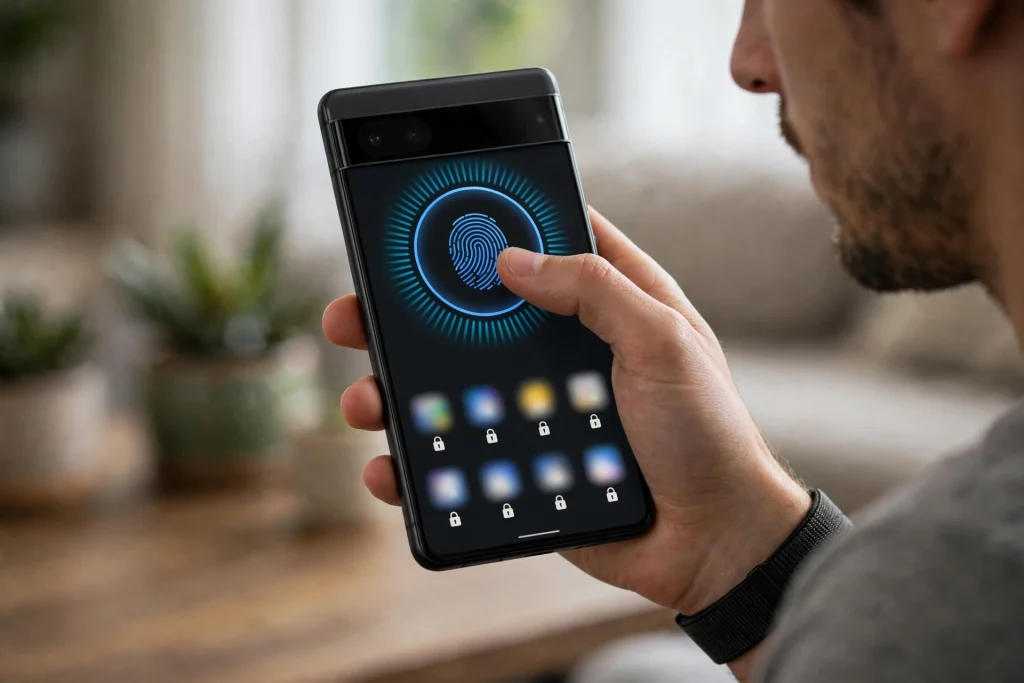
Google released Android 17 QPR3 Beta 3 on 29 October 2026, and the headline change for Pixel owners is the return of native App Lock, a feature that lets you lock individual apps behind your phone’s own fingerprint or PIN. If you have been waiting for a built-in way to protect your banking app or your photos without installing a third-party locker, this beta is the first sign that Google is bringing the feature back.
Before you go looking for it on your phone, there are three limits you need to know. First, this is beta software only. App Lock in QPR3 Beta 3 is a test feature, and it is not available on the stable version of Android 17 that most people are running today. Second, it is Pixel-only. No Samsung, Xiaomi, OnePlus, or other Android phone gets this feature from this update, because QPR3 Beta 3 is a Pixel beta release. Third, the Pixel 6 and Pixel 6 Pro are excluded from this beta entirely, so owners of those two models cannot get App Lock this way at all.
In short, if you are on a stable Pixel, or on any non-Pixel phone, you should not expect to find App Lock on your device today. Google has not set a stable release date for this feature, and beta features can be changed or removed before the stable version arrives. This guide explains what App Lock does, which phones can test it, how it works, and why most people should simply wait.
What Is Pixel App Lock and Why It Came Back
App Lock is a system-level privacy feature. Once it is turned on for an app, that app cannot be opened until you confirm your identity with the same fingerprint or PIN you already use to unlock your phone. It is different from locking your whole phone: your phone can be unlocked and in someone else’s hands, but your locked apps stay closed until you approve them.
Google had already tested App Lock earlier in the Android 17 cycle. It appeared in development builds, then showed up in QPR2 beta testing, but Google removed it during QPR2 Beta 5, saying the feature lacked polish and needed better integration. Testers pushed for its return, and QPR3 Beta 3 is Google’s answer: the feature is back for another round of testing, with the same basic idea but, testers hope, a smoother experience.
This is not the same as WhatsApp’s Chat Lock, which only locks individual chats inside WhatsApp. Pixel App Lock works at the system level, so it can protect any supported app on the phone, from your gallery to your banking app to your email. It is also different from Samsung’s Secure Folder or the app-lock tools that some phone makers build into their own software. This is Google’s own version, built into Android itself, and for now it exists only on Pixel phones running this beta.
Which Phones Get Android 17 QPR3 Beta 3
The beta covers Pixel phones from the Pixel 6a onwards, up to the Pixel 11 series. That includes the Pixel 7, 7 Pro, and 7a, the Pixel Fold and Pixel Tablet, the Pixel 8, 8 Pro, and 8a, the Pixel 9 family, the Pixel 10 family, and the Pixel 11 family. The two models left out are the original Pixel 6 and Pixel 6 Pro, whose quarterly update support has ended.
Build numbers differ by phone. Pixel 11 phones get build DP11.261016.004, while every other supported Pixel gets build DP11.261016.003. If you are already enrolled in Google’s Android Beta programme, the update arrives over the air like a normal software update. If you are not enrolled, you will not see it at all, which is exactly how beta testing is supposed to work.
| Phone group | Build number in QPR3 Beta 3 | App Lock available |
|---|---|---|
| Pixel 11 series | DP11.261016.004 | Yes, in beta |
| Pixel 6a through Pixel 10 series, Pixel Fold, Pixel Tablet | DP11.261016.003 | Yes, in beta |
| Pixel 6 and Pixel 6 Pro | Not included | No |
How to Use App Lock in the Beta
Using App Lock in the beta is simple, and that simplicity is part of the point. You do not open a separate security app, and you do not create a new password to remember. The steps reported by beta testers are:
- Long-press the icon of the app you want to lock on your home screen or in the app drawer.
- Choose App Lock from the app menu that appears.
- Read the popup that explains the terms of the feature.
- Confirm with your fingerprint or PIN.
That is it. From then on, opening that app asks for the same fingerprint or PIN you use to unlock your phone. To unlock an app later, you repeat the same long-press and turn App Lock off, again confirming with your fingerprint or PIN.
The most important detail is what App Lock does not ask you to do. There is no separate PIN for locked apps. You do not set one password for your phone and a different one for your banking app. App Lock reuses your device credentials, which keeps things simple but also means your phone’s main lock is doing all the work. If someone knows your phone PIN, they can also open your locked apps, so a strong device PIN still matters more than ever.
Good candidates for locking are the apps that hold your money or your private life. A banking app is the obvious example: even if you hand your unlocked phone to someone to make a call or show a photo, your bank stays closed. A photos app is another strong choice, since a gallery often holds family pictures, documents, and screenshots you would not want a stranger scrolling through. Messaging and email apps are worth considering too, but think about convenience as well: locking an app you open fifty times a day means fifty extra fingerprint checks.
What App Lock Does and Does Not Do
Because this is a beta feature, it is easy to overpromise what it can do. The table below keeps the facts straight, based on what has been reported from QPR3 Beta 3.
| What App Lock does | What App Lock does not do |
|---|---|
| Locks individual apps behind your fingerprint or PIN | It does not create a separate PIN for locked apps |
| Uses your existing device credentials, so nothing new to remember | It does not protect you if someone already knows your phone PIN |
| Works at the system level on supported Pixel phones | It does not work on non-Pixel phones or on stable Android 17 today |
| Can be turned on or off per app from the app icon menu | It does not cover the Pixel 6 or Pixel 6 Pro, which are excluded from this beta |
| Returns in QPR3 Beta 3 after being removed in QPR2 Beta 5 | It is not guaranteed to reach the stable release unchanged, or at all |
Two warnings belong in this section. First, beta features can disappear. Google removed App Lock once already, during QPR2 beta testing, and it could change the feature again before stable. Do not build your whole privacy routine around a beta feature that might move or vanish. Second, App Lock is not a backup or a vault. It stops casual access to an app on your unlocked phone, but it does not encrypt your files separately, and it does not protect your data if your phone is lost and someone gets past your lock screen another way. Use it as one layer of protection, not as your only one.
The Other Changes in Beta 3
App Lock is the headline, but QPR3 Beta 3 is officially a bug-fix release, and Google’s release notes list 26 fixes. The most useful ones for everyday users include fixes for WPA-Enterprise Wi-Fi failures, which affected people connecting to workplace or university networks, random lock-screen crashes, glitches on the inner display of foldable phones, blank buttons appearing in dark mode, and a crash in the Twitter/X app when viewing mentions.
Two more returning touches are worth knowing. The lock-screen blur effect is back, giving a frosted look behind shortcuts, notifications, and the fingerprint icon. And bubbles, Android’s floating chat windows, can now launch apps directly from the Recents screen, which makes it easier to keep a conversation or a calculator floating over whatever else you are doing. Like App Lock, these are beta observations: they are in the test build, but Google can adjust them before stable.
Should You Install the Beta Just to Get App Lock
For most people, the honest answer is no. Beta software is unfinished by definition. It can have rough edges, apps can misbehave, battery life can change, and features you rely on can break until the next beta fixes them. Installing a beta on the phone you depend on every day, just to lock one or two apps, trades a small convenience for real daily risk.
There is a second reason to wait. Beta testers are testing, not just using. Google watches how features behave, reads feedback, and sometimes pulls a feature back, exactly as it did with App Lock in QPR2 Beta 5. If you install the beta and App Lock disappears again in the next build, you will have taken on beta risk for a feature that is gone.
If you are already a beta tester, or you have a spare Pixel and you understand the risks, trying App Lock is reasonable. If you are on stable software and happy with it, stay there. You can get most of the same protection today with tools already on your phone: a strong lock screen, your banking app’s own fingerprint lock if it offers one, and WhatsApp’s Chat Lock for sensitive chats. When, and if, App Lock reaches stable Android, it will arrive as a normal update, and this site will cover it then.
One practical note for anyone tempted by the beta: leaving a beta programme has its own consequences, and the steps can change between releases. Do not guess the exit steps from an old guide. Check Google’s Android Beta programme page for the current process before you enrol, so you know exactly what happens to your phone and your data if you decide to leave.
What This Means for Users in Pakistan
Pixel phones are not officially sold in Pakistan through Google, and most Pixel units in the local market are grey imports. That does not change how App Lock works, but it does change what you should assume. Warranty, repair support, and even update timing can differ for an imported unit, so check your own phone’s status and update channel before assuming a beta or a feature will reach you exactly as reported elsewhere.
For most readers in Pakistan, the practical takeaway is simple: App Lock is good news for the future, not something to chase today. If you own a Pixel 6a or newer, it is a feature to watch for in a future stable update. If you own a Pixel 6 or 6 Pro, this beta does not apply to you at all. And if you own any other Android phone, this update does not change your options: your phone maker’s own app-lock tools, or your individual apps’ built-in locks, remain your best choices for now.
The bigger story here is that Google is listening to testers. A feature that was cut for lack of polish is back because users asked for it, and that is a healthy sign for Android’s privacy tools. The right move for most people is to let the beta testers do their job, and wait for a finished version.
The details in this guide, including the release date, the build numbers, and the return of App Lock after its removal in QPR2 Beta 5, were first reported by Beebom.
FAQs
Is Pixel App Lock available on my phone right now? Only if you have a supported Pixel phone (Pixel 6a through Pixel 11) enrolled in the Android Beta programme and running Android 17 QPR3 Beta 3. Stable users, Pixel 6 and 6 Pro owners, and all non-Pixel phones do not have it yet, and Google has not announced a stable release date.
Does App Lock need a separate PIN? No. App Lock uses your phone’s existing fingerprint or PIN, the same credentials you use to unlock your device. There is no separate PIN to set or remember for locked apps, which keeps it simple but also means a strong device PIN is essential.
Which apps should I lock first? Start with apps that hold money or private information, such as your banking app and your photos app. Messaging and email apps are also good candidates, but avoid locking apps you open constantly unless you are happy confirming your fingerprint every time.
Can Google remove App Lock again before the stable release? Yes. Google already removed it once, during QPR2 Beta 5, because it lacked polish. Beta features can be changed or removed at any time, so nothing in QPR3 Beta 3 is guaranteed to reach the stable version unchanged.