
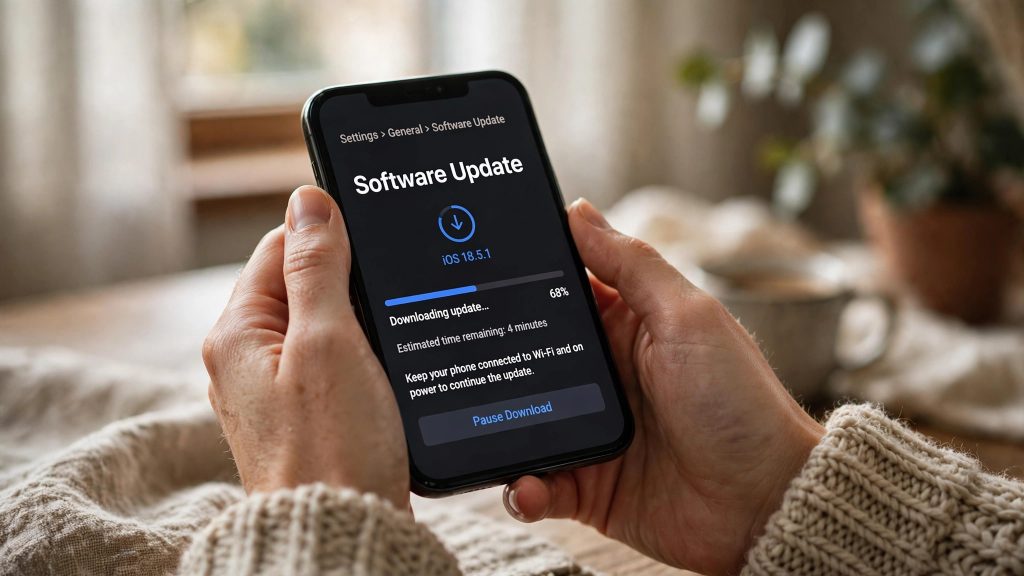
Samsung’s newest software, One UI 9 based on Android 17, is no longer a rumour — the stable update has been rolling out since mid-September 2026, and it reached another wave of Galaxy phones on 7 October.
If you own a Galaxy in Pakistan, this guide tells you exactly which models have received the update so far, how large the download is, how to check for it and install it safely, and why it may not have appeared on your phone yet even if your model is on the list.
The Rollout So Far
Samsung has released the stable One UI 9 update in stages:
| When | Models receiving One UI 9 (Android 17) |
|---|---|
| Mid-September 2026 | Galaxy S26 series |
| Late September 2026 | Galaxy S25 series, Galaxy Z Fold7, Galaxy Z Flip7 |
| 7 October 2026 | Galaxy S24 series, Galaxy Z Fold6, Galaxy Z Flip6 (Korea first) |
| Mid-October 2026 | Galaxy A57, A37 and A27 joining the rollout in stages (tracker lists updated 14 October) |
The 7 October wave started in Korea first, with other countries following in the days and weeks after. That staged pattern is normal for Samsung — and it is the single most important thing to understand before you start checking your phone every hour.
Is Your Galaxy on the Eligible List?
Based on the rollout so far, these models are receiving — or are in line to receive — One UI 9:
- Galaxy S series: S26 series, S25 series, S24 series
- Galaxy Z series: Z Fold7, Z Flip7, Z Fold6, Z Flip6
- Galaxy A series: A57, A37, A27 (joining in stages)
Eligibility is not the same as availability. A model being on this list means Samsung is releasing the update for it — it does not mean the update is live in every country today. Rollout is staged by both country and model, and Samsung expands the list over time, so more models may join in the coming weeks.
How Big Is the Update?
Treat this as a large download and prepare for roughly 4 GB:
- Galaxy S24 series: about 3.8 GB when updating from One UI 8.5
- Galaxy Z Fold6 / Z Flip6: about 3.5 GB
- Beta users: only about 400–500 MB, because most of the update is already on the phone
On a metered mobile connection, 3.8 GB is a serious chunk of your monthly bundle — which is why the update steps below start with Wi-Fi.
Before You Update: Back Up First
Major updates rarely go wrong, but “rarely” is not “never.” Spend five minutes protecting yourself first:
- Back up your data. Copy your photos, contacts and important files to Samsung Cloud or your Google account before you start. If you use WhatsApp, run its chat backup as well.
- Charge the phone. Plug it in, or make sure the battery is well charged — you do not want the phone switching off mid-installation.
- Connect to Wi-Fi. You are downloading up to ~3.8 GB; save your mobile data for something else.
- Free up space. The phone needs room for the download plus space to install it, so clear out old videos and unused apps if your storage is nearly full.
How to Check for and Install the Update (Step by Step)
- Connect to a stable Wi-Fi network and plug the phone in.
- Open Settings.
- Scroll to Software update.
- Tap Download and install. Your phone will check Samsung’s servers for the update.
- If One UI 9 is available for your phone, you will see the update details and its size. Tap Download and wait for the file to finish — on a slow connection this can take a while.
- When the download completes, tap Install now (or schedule the install for later, such as overnight). The phone will restart and install the update; do not force it off during this stage.
- After the restart, give the phone a few minutes to settle. You can confirm the result under Settings → About phone → Software information, where it should show One UI 9 / Android 17.
The Update Is Not Showing? Read This First
Do not panic, and do not download firmware files from random forums. The normal reasons are simple:
- The rollout is staged by country. The latest wave began in Korea on 7 October 2026, with other countries following in days and weeks. Pakistan is simply not in the first wave.
- It is also staged by model. Even within one country, one variant can receive the update before another.
- No Pakistan-specific date has been announced in the rollout reports so far. The reliable place to watch for local availability is the Samsung Members app and Samsung Pakistan’s notices.
The sensible routine: check Settings → Software update → Download and install once every few days. When Samsung releases the update for your model in your region, it will appear there — there is no trick to jump the queue, and unofficial files are not worth the risk to a phone you rely on daily.
FAQs
Q: Which Samsung phones have received One UI 9 (Android 17) so far?
The Galaxy S26 series received it in mid-September 2026, followed by the Galaxy S25 series, Z Fold7 and Z Flip7 in late September. On 7 October 2026, the rollout began for the Galaxy S24 series, Z Fold6 and Z Flip6, starting in Korea. Tracker lists updated on 14 October also show the Galaxy A57, A37 and A27 joining in stages.
Q: How do I check whether the update has reached my phone?
Go to Settings → Software update → Download and install. Your phone will check for the update and, if it is available for your model and region, show you the download. If nothing appears, your wave has not arrived yet — the rollout is staged by country and model, so check again after a few days.
Q: How much data does the One UI 9 update use?
About 3.8 GB on the Galaxy S24 series when updating from One UI 8.5, and about 3.5 GB on the Z Fold6 and Z Flip6. Users already on the beta only need roughly 400–500 MB. Because of the size, download it over Wi-Fi rather than mobile data.
Q: My Galaxy is on the eligible list, but there is no update in Pakistan yet. Why?
Because eligibility and availability are two different things. Samsung releases the update country by country — the 7 October wave started in Korea, with other countries following over days and weeks. No Pakistan-specific date was given in the rollout reports, so watch the Samsung Members app for local notices and keep checking Software update.
Sources
- https://m.gsmarena.com/samsung_rolls_out_stable_one_ui_9_based_on_android_17_to_the_galaxy_s24_series_galaxy_z_fold6_and_fl-amp-74932.php
- https://sammyguru.com/one-ui-9-rolling-out-galaxy-devices/