
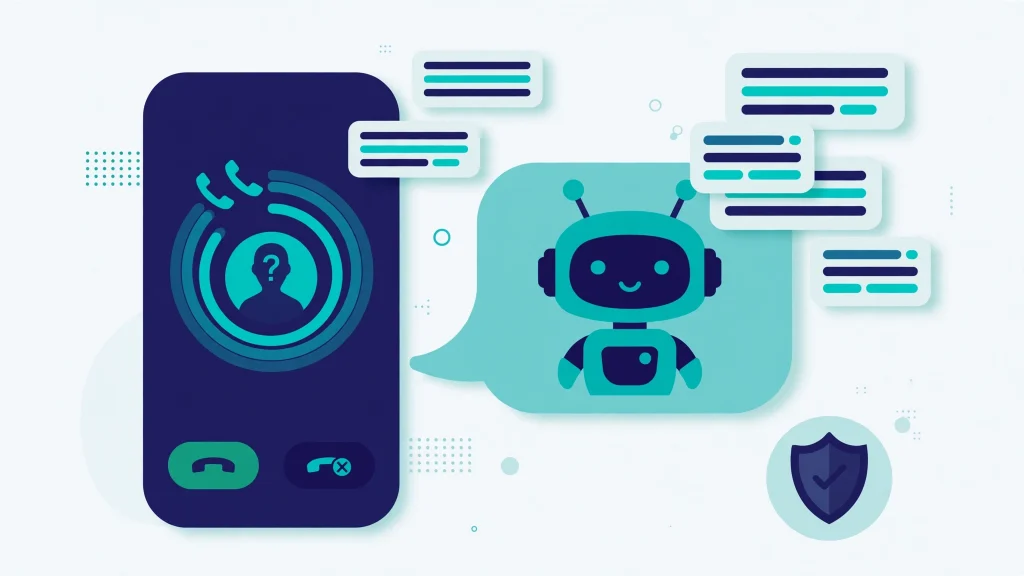
An unknown number calls you on WhatsApp. It could be a spam call, a fraud attempt, or simply the rider standing outside your gate with a parcel. Today you have only two choices: pick up and find out, or silence every unknown caller and risk missing the important ones. WhatsApp is now working on a smarter middle option. It is developing a feature called “call filtering” that will let WhatsApp answer an unknown call itself, ask the caller why they are calling, and show you a private written transcript of the answer — so you can read it first and then decide whether to talk.
Before anything else, one honest point: this feature is still being built. It is not on your phone today, and this article will explain exactly what has been found, how it is expected to work, and what you can use in the meantime.
It Is Not Available Yet — Still in Development
The feature was discovered by WABetaInfo, the website that tracks WhatsApp’s upcoming features, and the discovery was reported on 20 October 2026. WABetaInfo found the call filtering code inside WhatsApp beta for Android version 2.26.41.4, an update distributed through the Google Play Store.
That version number needs a clear explanation, because it is easy to misunderstand. The code was found inside that beta build — it was not switched on for the people using it. WABetaInfo is explicit that the feature is “under development” and “not yet available for beta testing.” In simple words:
- Nobody can use call filtering today, not even beta testers.
- WhatsApp and Meta have not officially announced this feature.
- There is no release date, and WhatsApp has not announced when it will reach the public.
- Everything reported so far comes from this one code discovery, so the name, design and options could change before any release.
- The discovery is Android-only so far; no iOS version of call filtering has been reported.
One report suggested the feature may first become available to selected beta testers in a future update, but that is an expectation, not a confirmed plan. Treat every detail below as “how it is expected to work,” not as a feature you can open today.
What Is Call Filtering?
Call filtering is the new name WhatsApp is developing for the settings that control unknown callers. According to the discovery, it will live inside the Privacy section of WhatsApp’s settings, and it will replace the existing “Silence unknown callers” feature. The reason for the replacement, in WABetaInfo’s words, is “to give users more control over how the app manages unknown callers.”
Instead of one simple on/off switch, call filtering will offer three different options for what happens when a number that is not saved in your contacts calls you. You will pick the behaviour you prefer, and WhatsApp will apply it to every unknown call.
The Three Options, Explained
Here is how the three reported options compare:
| Option | What happens when an unknown number calls |
|---|---|
| Never | Call filtering is off. WhatsApp notifies you about every call normally, whether the number is saved or unknown. |
| Silence | Calls from unknown numbers are silenced automatically. The call still appears in the Calls tab and in notifications, but your phone does not ring. |
| Ask reason for calling | WhatsApp answers the call itself, asks the caller why they are calling, and shows you a private transcript of the reply. You then accept or decline. |
The first option, “Never,” simply turns filtering off, so calls from saved and unknown numbers alike come through with notifications as usual. The second option, “Silence,” keeps the behaviour many users already know: no ring, but a record of the call stays visible. The third option is the genuinely new one, and it is the reason this discovery matters.
How “Ask Reason for Calling” Will Work
With the third option selected, the flow is expected to work like this:
- An unknown number calls you on WhatsApp.
- Before your phone rings, WhatsApp answers the call on your behalf.
- WhatsApp asks the caller to state the reason for calling.
- The caller’s spoken reply is turned into a private written transcript.
- You read the transcript and decide whether to accept the call or decline it.
A simple example makes the value clear. Instead of a ringing phone and a guessing game, you might read that the caller wants to discuss a delivery or an appointment, and then decide whether to continue the conversation. NewsBytes summed the whole design up in plain terms: let all calls through, silence unknown callers, or have WhatsApp auto-answer and transcribe.
For people in Pakistan who regularly receive spam calls, promotional calls and suspicious calls from numbers they have not saved — a description that fits most of us — this kind of screening could remove a daily annoyance without hiding genuine calls completely.
The Transcript Is Made on Your Phone, Not on a Server
The privacy design is the most reassuring part of the discovery. WhatsApp will not share the call with its servers to generate the transcript. The transcript is generated locally, on your own device, using downloaded language packs. This is the same technology already used for voice message transcriptions and message translations in WhatsApp, so nothing from the screened call leaves your phone.
Processing the audio on the device is also how WhatsApp preserves end-to-end encryption for the screening feature: the call content stays on the handset instead of travelling to a server for transcription. Users will also be able to choose the language used for the transcription. In the related transcription feature, WhatsApp downloads the language pack automatically the first time the feature is enabled, packs can also be managed manually from the app settings, and once a pack is downloaded it can transcribe without an active internet connection.
Will It Understand Urdu? That Is Not Confirmed
Pakistani readers will ask this question first, so here is the honest answer: Urdu support is not confirmed. Users will be able to choose the transcription language, but Urdu is not in WhatsApp’s published voice-transcription language-pack list. The packs available before September 2026 were Arabic, Spanish, Hindi, Portuguese and Russian, and in September 2026 WhatsApp added more variants for English, German, French, Italian and Japanese — again, no Urdu pack was announced. Whether call screening will use exactly the same pack list is itself unconfirmed. The safe line is this: Urdu support is not confirmed; Hindi and English packs exist for the related transcription technology.
The Problem With Today’s Silence Setting
To understand why WhatsApp is building this, look at the setting it will replace. Silence Unknown Callers was originally launched in June 2023, presented by Mark Zuckerberg as a way to get even more privacy and control over incoming calls. At launch, WhatsApp described it as a tool to automatically screen out spam, scams and calls from unknown people, and to make it easier to block spam calls and avoid unwanted interruptions.
You can switch it on today at Settings > Privacy > Calls > Silence unknown caller. Silenced calls still show in your notifications and in the app’s call list, so you know someone tried to reach you.
Its weakness is that it is all-or-nothing: the same rule applies to every unknown caller. As WABetaInfo puts it, if you receive an important call from an unknown caller, you will lose it without a second chance to respond. The legitimate callers most at risk of being missed are exactly the ones Pakistanis deal with daily — delivery drivers, doctors, “or anyone else” calling from a new number. Call filtering keeps the plain silence option for users who prefer no exceptions, but the “Ask reason for calling” option gives everyone else a second chance to catch the important call before it is lost.
Apple and Google Already Offer This Idea
WhatsApp is not inventing this concept. Apple introduced the same kind of feature, call screening, with iOS 26: when an unknown number calls an iPhone, the device answers automatically, asks the caller to share why they are calling, and transcribes the response so the user can decide whether to answer. Google offers a similar experience on its Pixel devices. WABetaInfo’s framing is that WhatsApp is now working on bringing the same experience to Android users — which matters far more in Pakistan, where Android is the phone in almost every pocket.
A Transcript Is Not Proof the Caller Is Honest
One caution deserves its own section. As News18 warns, call screening “should also not be confused with a guarantee that a caller is genuine,” because scammers could still provide misleading explanations. The transcript only shows you what a caller claims; it cannot verify that the claim is true. News18 also notes that the feature’s final technical implementation and privacy protections will need to be confirmed when WhatsApp releases more details.
This warning is directly relevant in Pakistan right now. On 2 October 2026, the PTA warned citizens about fraud in which criminals impersonate courier-company representatives and try to obtain OTPs from customers who receive calls about a parcel or shipment. In August 2026, the NCCIA said it had arrested a suspect in Lahore who allegedly posed as a courier-company representative to obtain OTPs from citizens and subsequently hack their WhatsApp accounts. A screening transcript saying “I am calling about your parcel” would fit that fraud perfectly — which is why PTA’s advice must stay attached to this feature: never share an OTP with anyone, particularly unknown callers, and do not provide passwords, PINs, banking information or other confidential details to unknown callers. Verify parcel and shipment information through the courier company’s official website, app or helpline instead of relying solely on an incoming call.
What You Can Do Today
Call filtering may take time to arrive, and it may look different when it does. Until then, the practical steps are simple. Turn on the existing Silence Unknown Callers setting from Settings > Privacy > Calls if unknown calls disturb you, and remember that silenced calls still appear in your Calls tab, so you can call back a rider, clinic or office number you recognise. Keep WhatsApp updated from the Play Store, because new features only ever arrive through regular updates. And whatever tools WhatsApp adds, keep the PTA rule unchanged: an OTP is never to be shared with a caller, no matter how genuine the call — or its transcript — sounds.
The details of this upcoming feature were first reported by WABetaInfo, which discovered the call filtering code inside WhatsApp beta for Android 2.26.41.4 and published its findings on 20 October 2026.
Also read: How to Save Mobile Data on WhatsApp Calls and WhatsApp Voice Message Transcription Guide
FAQs
Is WhatsApp call screening available now?
No. Call filtering is under development. It was discovered in the code of WhatsApp beta for Android 2.26.41.4, but it is not switched on for anyone and is not yet available for beta testing. WhatsApp has not announced it officially and has given no release date.
How will the “Ask reason for calling” option work?
WhatsApp will answer the unknown call itself and ask the caller why they are calling. The reply is transcribed privately on your device using language packs, without sending the audio to WhatsApp’s servers. You read the transcript and then accept or decline the call.
Will WhatsApp call screening transcripts work in Urdu?
Urdu support is not confirmed. Urdu is not in WhatsApp’s published voice-transcription language-pack list, which covers Arabic, Spanish, Hindi, Portuguese and Russian, plus variants of English, German, French, Italian and Japanese. Hindi and English packs exist for the related transcription technology.
What can I use today to stop unknown WhatsApp calls?
Use the existing Silence Unknown Callers setting at Settings > Privacy > Calls. Unknown calls will not ring, but they still appear in your Calls tab and notifications, so you can return a genuine call from a delivery rider, doctor or office afterwards.
Pingback: WhatsApp Mention & Reply Filter (Android Beta): Never Miss a Group Tag Again