
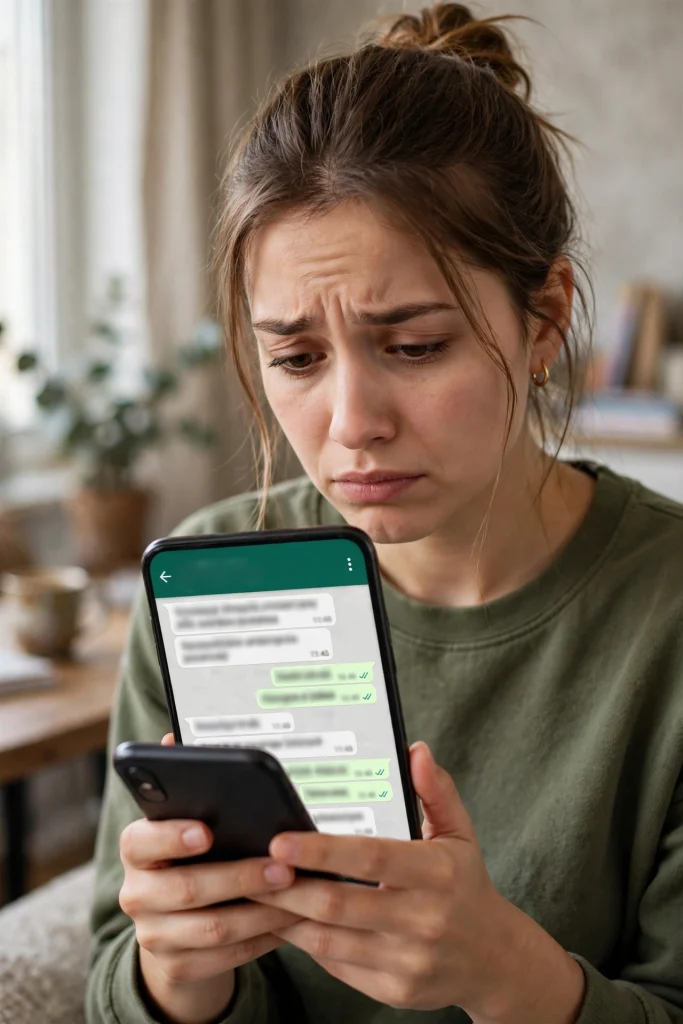
If your WhatsApp suddenly stops working the way it should, or your friends start asking why you sent them a strange message you never wrote, do not panic — but do act quickly. A hacked personal WhatsApp account can be recovered in most cases, and the most important step is also the simplest one: getting back into your own account yourself, before the person who took it over can do more damage.
This guide is about personal accounts — the WhatsApp you use every day with your own number, your family chats, and your friends. It walks you through the recovery steps in order, explains what to do if a PIN you never set blocks you, and shows you how to lock the hacker out for good and report the incident. It is written for users in Pakistan, with the reporting route that applies here.
A recent case shows why this matters even for people who think it cannot happen to them. On 23 October 2026, reports said a two-member gang was arrested near Islamabad’s Red Zone, reportedly within four hours, over the alleged hacking of a WhatsApp account belonging to a PTA employee. The case made headlines precisely because the victim worked at the country’s telecom regulator. If it can happen to someone inside the telecom system, it can happen to anyone — and the recovery steps below apply to ordinary users exactly the same way.
What actually happened in the 23 October case
Let us get the facts of that case straight first, because early reports got one detail wrong. Bloom Pakistan reported the arrests near Islamabad’s Red Zone on 23 October 2026, reportedly within four hours of the incident. PTA spokesperson Dr Khurram later clarified that the victim was a junior-level employee, not a senior official as some earlier reports had suggested. That correction matters: headlines calling the victim a “PTA official” were not wrong in the broad sense, but the senior-official version of the story was not accurate.
Two more things about this case are important for readers. First, how this particular account was hacked was not disclosed in the reporting. No official statement in the coverage said that a verification code was shared, or that a duplicate SIM was involved, or that any other specific method was used. This guide therefore does not claim to know how that account was taken over — and you should be suspicious of any post that claims to know, because the published reporting does not say.
Second, PTA’s spokesperson said WhatsApp hacking had become routine. That is a blunt warning, and it fits the wider picture in Pakistan: account takeovers are now common enough that every WhatsApp user should know the recovery steps before they need them, not after. Reading this guide now, while your account is safe, is the best preparation. If you are reading it because your account is already gone, skip ahead to the recovery steps — they come first for a reason.
How to tell if your account is really hacked
Not every strange WhatsApp problem is a hack. Sometimes messages fail to send because of a weak signal, and sometimes a contact’s name looks wrong because of a display glitch. Before you start recovery, check the signs. A hacked account usually shows one or more of these:
- Messages you did not write appear in your chats, especially messages asking contacts for money, codes, or personal details.
- You are suddenly logged out of WhatsApp on your own phone, and the app asks you to register your number again.
- Your contacts tell you they received odd messages or calls from your number that you never sent.
- You see devices in your Linked Devices list that you do not recognise.
- Your profile photo, name, or About text changes without you touching it.
- Your two-step verification PIN is suddenly asked for, or a PIN you never set blocks you from getting in.
If only one small thing looks odd — for example, one message fails to send — it is probably a network issue. If several of the signs above appear together, treat it as a takeover and start recovery immediately. The table below helps you sort the signs from ordinary glitches.
| What you notice | What it usually means | What to do first |
|---|---|---|
| Messages you never wrote, sent from your account | Someone else is using your account | Start re-registration right away |
| Logged out suddenly on your own phone | Your number was registered on another phone | Re-register with your own SMS code |
| Unknown device in Linked Devices | Your account is open somewhere else | Log out all devices after you regain access |
| A PIN you never set blocks you | The hacker turned on two-step verification | Use Forgot PIN, or wait the official 7 days |
| One message fails, everything else normal | Network or app glitch, not a hack | Check your connection before worrying |
| Contacts report money requests from your number | The hacker is targeting your contacts | Warn your contacts as soon as you can |
Step 1: Re-register your own number — this logs the hacker out
This is the single most important recovery step, and it was last checked on 20 October 2026. Open WhatsApp on your own phone and register your own number again, exactly as you did when you first set it up. WhatsApp will send a 6-digit verification code by SMS to your number. Enter that code, and your account will be registered on your phone — which logs the hacker out of the account on their device.
A WhatsApp account can only be active on one phone number registration at a time in this sense, so taking back the registration is what cuts the hacker off. That is why speed matters: the longer the hacker holds the account, the more messages they can send in your name and the more of your contacts they can trick.
There is one rule here that you must never break: never share your 6-digit verification code with anyone, for any reason. WhatsApp will never ask you for it, no support agent will ask you for it, and no friend genuinely needs it. PTA’s own advice in the 23 October coverage was exactly this — do not click unknown links and do not share verification information. NCCIA has separately described OTP-sharing as a major reason accounts get compromised in general. Anyone asking for your code is either the hacker or someone working with them, even if the message looks like it comes from a trusted name. If a contact’s account was itself hacked, a message from that contact asking for a code is one of the oldest tricks there is.
If the SMS code does not arrive, check that your phone has signal and that your SIM is working normally. If your SIM itself has stopped working — no signal, no calls, no SMS at all — that is a different branch of the problem, and it is covered briefly in Step 4 below. For most people, though, the code arrives within a minute or two, and re-registration alone solves the takeover.
Step 2: If a PIN you never set blocks you
Sometimes re-registration is not enough on its own, because the hacker has turned on two-step verification and set a PIN you do not know. When you try to register, WhatsApp then asks for that PIN, and you are stuck — you know the SMS code, but not the PIN.
WhatsApp has a built-in way out of this. On the PIN screen, tap “Forgot PIN?” and follow the recovery-email option, if an email address was added to the account. If you had added your own email address to two-step verification before the hack, the reset link goes to you, and you can set a new PIN and get in.
If no recovery email is available — because none was added, or because the hacker changed it — you will have to wait out the official 7-day period. After 7 days, WhatsApp allows you to register without the old PIN. This wait cannot be shortened: WhatsApp support cannot remove the PIN early for you, no matter how urgent your case feels. Anyone who claims they can unlock it faster for a fee is running a scam, and paying them will only lose you money on top of the hacked account.
The 7-day wait is frustrating, but it is also a protection. It exists so that a hacker who grabs your SMS code cannot instantly take over an account that has two-step verification turned on. While you wait, there are still useful things you can do: warn your contacts (Step 5), gather evidence for your report (Step 6), and make sure your SIM and email accounts are secure. Do not keep trying random PINs — repeated wrong guesses will not help, and guessing is not a shortcut around the official wait.
Step 3: Lock the hacker out for good
Getting back in is only half the job. Once you are back in your account, make sure the hacker cannot walk straight back in again.
First, open Linked Devices and check every device listed there. If you see a phone, computer, or browser session you do not recognise, log it out. Even if you recognise all the devices, it is worth logging out any session you no longer use — an old office computer or a friend’s laptop where you once opened WhatsApp Web is an open door you may have forgotten about. After a hack, the safest approach is to log out all linked devices and then link only the ones you actually use, one by one.
Next, turn on two-step verification yourself, with a PIN only you know, and add your own recovery email address. This is the single best protection against a repeat takeover, because even if someone gets hold of your SMS code in future, they will still be stopped by the PIN. Choose a PIN you will remember but that nobody can guess — not your birth year, not 123456, and not a number you use anywhere else. Write it down somewhere safe at home if you need to, but never send it to anyone in a chat or message.
Then check your account for changes the hacker may have made: your profile name, photo, and About text, and your privacy settings. Hackers sometimes change these to impersonate you more convincingly, or to make your account look like a different person. Put everything back the way it was, and check your blocked list and your group memberships too — you may have been added to groups you never joined, or contacts blocked without your knowledge.
Finally, think about your other accounts. If you used the same password or PIN for your email, your banking app, or your social media accounts, change those as well. A hacker who got into your WhatsApp may try the same details elsewhere, and the same rule applies everywhere: one account, one password, and never share a verification code.
Step 4: Check whether your SIM itself is the problem
In most WhatsApp takeovers, the phone and SIM are fine — the hacker got in some other way, and re-registration fixes it. But there is one branch of takeover recovery where the SIM itself is the problem: if your SIM has stopped working entirely, or if a duplicate SIM has been issued in your name without your knowledge, then the SMS code may be going to someone else’s SIM instead of yours.
This is only one branch of the problem, not the whole story, and this guide does not treat every hack as a SIM problem. But if your SIM has died — no signal, no incoming calls, no SMS — contact your mobile operator directly and ask whether a duplicate SIM was issued or whether there is a problem with your SIM. Go through your operator’s official helpline or service centre, and take your original CNIC with you if you visit in person. Do not accept help from any agent or middleman who offers to “fix” your SIM for a fee; your operator’s own channel is the only safe route.
Once the SIM issue is sorted and your own SIM is receiving SMS again, go back to Step 1 and re-register. The order matters: re-registration only works when the code actually reaches your phone.
Step 5: Warn your contacts straight away
While the hacker had your account, they may have messaged your contacts pretending to be you. The most common trick is asking for money — an urgent loan, a payment for an emergency, or a request to send a code or a balance transfer. Your contacts need to know those messages were not from you.
As soon as you are back in, send a short message to your most-contacted people, or post a status update, saying plainly that your account was hacked, that any money requests or strange messages sent recently were not from you, and that they should ignore and delete them. You do not need to go into detail or feel embarrassed — account hacking is now so routine, as PTA itself said, that most people will have heard of it happening to someone they know.
If any contact tells you they already sent money because of a fake message, ask them to keep the transaction record and the chat screenshots. That evidence helps when the incident is reported, and it may help them with their own bank or wallet provider. Quick warning also protects people you have not spoken to in a while: a hacker often works through the whole contact list, not just close friends, so a status update reaches people a private message might miss.
Step 6: Report it to NCCIA on 1799
Recovery gets your account back; reporting helps stop the people behind the hack and creates an official record if the case goes further. In Pakistan, the reporting route for cybercrime, including hacked WhatsApp accounts, is the National Cyber Crime Investigation Agency (NCCIA), and its helpline is 1799. Print that number down and use it — it is the only helpline number this guide gives, because older numbers that appear in some guides are out of date.
When you report, have the basic facts ready: your number, roughly when you lost access, what the hacker did while they had the account (for example, messages sent to your contacts, or money requested), and any evidence you kept, such as screenshots of fake messages or the numbers the hacker used. You do not need to know how the hack happened — remember, even in the high-profile PTA case, the method was not disclosed. Report what you observed, not what you guess.
Reporting is worth doing even after you have recovered the account yourself. Your case on its own may look small, but patterns across many reports are how agencies identify gangs and repeat methods — the 23 October arrests show that reports and investigations do lead to action. If you lost money, or if someone else lost money because of messages sent from your account, say so clearly in the report, because financial loss changes how seriously a case is treated.
A note on Business accounts: this guide covers personal accounts, and there is a separate, wider warning about WhatsApp Business accounts being targeted in Pakistan, with NCCIA’s Karachi Zone reporting 39 WhatsApp, Instagram and other social accounts recovered in 15 days and 95 accounts causing financial losses blocked in the same briefing — but that Business-account warning is a different story with its own details, and it is not repeated here beyond this paragraph.
What NOT to do after a hack
A hacked account makes people desperate to fix things fast, and that desperation is exactly what scammers exploit. Do not pay anyone who promises to recover your account for a fee — WhatsApp recovery is free, through the steps above, and no third party can speed up the 7-day PIN wait. Do not download “account recovery” apps or tools from outside the official app stores; they are often malware themselves. Do not share your SMS code, your PIN, or your email password with anyone claiming to help, including people who message you claiming to be WhatsApp support — WhatsApp does not contact users this way to ask for codes.
Do not factory-reset your phone in a panic either. A factory reset wipes your phone but does nothing to the hacker, who holds your account on their own device, not yours. The fix is re-registration, not wiping your data. And do not simply delete WhatsApp and hope the problem goes away: deleting the app from your phone does not delete your account or log the hacker out. You have to take the account back by registering it on your own phone.
How to stop it happening again
Once you are back in control, a few habits will make a repeat takeover much harder. First, never share a verification code — not with a friend, not with a support-sounding number, not even if the message claims your account will be deleted if you do not. Second, do not click unknown links, especially links sent by unfamiliar numbers or by contacts whose messages suddenly sound unlike them. PTA’s advice on this point is simple and worth following every day, not just after a hack.
Third, check your Linked Devices list every few weeks, and log out anything you do not recognise or no longer use. Fourth, keep your two-step verification PIN set and your recovery email up to date — if you change your email address, update it in WhatsApp too, or the Forgot PIN route will not reach you when you need it. Fifth, keep WhatsApp itself updated from the official app store, because updates often include security fixes. None of these steps is complicated, and together they close the doors a hacker is most likely to try.
Account hacking feels personal — someone was reading your chats and speaking in your name. But it is also, sadly, routine now, and the recovery path is well established: re-register to log the hacker out, use Forgot PIN or the 7-day wait if a PIN blocks you, clean up Linked Devices, warn your contacts, and report to NCCIA on 1799. Follow those steps in order, do not pay anyone for a shortcut, and your account — and your contacts’ trust — can be put right.
The arrest story that opened this guide is a useful reminder of the wider picture: account takeovers are common enough to reach even a regulator’s own staff, and enforcement does happen. Bloom Pakistan reported the 23 October arrests near Islamabad’s Red Zone and PTA’s clarification that the victim was a junior-level employee, and the recovery steps in this guide were last checked on 20 October 2026.
FAQs
My WhatsApp was hacked — what is the very first thing I should do?
Re-register your own number in WhatsApp on your own phone. WhatsApp will send you a 6-digit SMS code; entering it registers the account on your phone and logs the hacker out. Never share that code with anyone, even someone claiming to be support.
A PIN I never set is blocking me. How do I get past it?
Tap “Forgot PIN?” on the PIN screen and use the recovery-email option if an email was added to the account. If no recovery email is available, you must wait the official 7 days — WhatsApp support cannot shorten this wait, and anyone offering to unlock it faster for a fee is a scammer.
Is a hacked account the same as a banned account?
No. A hacked account means someone else took control of it, and recovery is about taking the registration back. A banned account is a different situation where WhatsApp itself has restricted the number, and it follows a different process that is not covered in this guide.
Who do I report a hacked WhatsApp account to in Pakistan?
Report it to NCCIA, the National Cyber Crime Investigation Agency, on helpline 1799. Keep screenshots of fake messages and details of anything the hacker did, such as money requests sent to your contacts, ready for the report.
Also read
“WhatsApp Spy Apps” Are a Scam: What Parents and Partners Must Know