
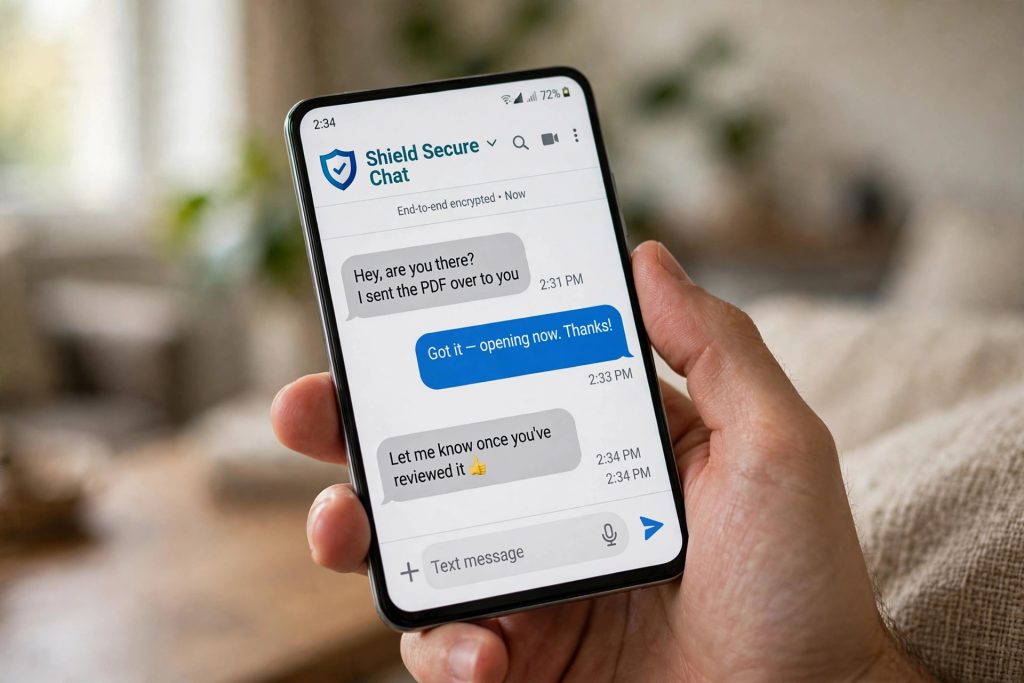
Almost every Android user in Pakistan has received the message: a “bank alert,” a courier demanding a small fee, or a prize you never entered — complete with a link to tap. These SMS scams impersonating banks, JazzCash, Easypaisa and courier companies are now so common that most people know someone who has lost money to one.
On 14 October 2026, Google announced a new defence for the app where these messages arrive: an enhanced protection mode for Google Messages. This guide explains what it does, which phones get which parts of it, and how to switch it on.
What Is Enhanced Protection Mode?
Enhanced protection is a new opt-in setting in Google Messages that bundles several anti-scam protections into one mode. Two things to understand from the start:
- It is off by default. Nothing changes on your phone until you go and enable it yourself.
- It was announced on 14 October 2026 and is rolling out “in the coming weeks,” so it may not appear on your phone immediately — it arrives phone by phone.
Rather than one single feature, the mode pulls together three different protections, and which ones you get depends on your phone’s hardware. That is why the table below matters.
The Three Protections — and Which Phones Get Them
| Protection | What it does | Which phones |
|---|---|---|
| Scam Detection with Private AI Compute | Gemini analyses chats with unknown senders in the cloud and flags likely scams | Pixel 6 and later; Galaxy S24 series and later; Galaxy Z Flip/Fold 6 and later; other AICore devices |
| Gemini Nano link safety checks | Checks links on the device itself, without sending them to the cloud | Pixel 10 and later; Galaxy S26 series; Galaxy Z Flip8/Fold8; select other devices |
| Link checkpoints | Redesigned, harder-to-ignore warnings before you open a link from a number you have not saved | Android 6 and newer — nearly every phone |
Read the last row again, because it is the most important one for Pakistan. The newest AI-powered checks need recent, powerful phones. But link checkpoints — the warnings that stop you before you open a suspicious link from an unknown number — work on Android 6 and above. That covers the overwhelming majority of phones actually in use here, including older and budget models.
How to Turn On Enhanced Protection
Google had not published an exact menu path for the new setting at the time of the announcement coverage (mid-October 2026), so the honest steps are these:
- Update Google Messages. Open the Play Store, search for Google Messages, and install any pending update. New features like this only arrive on the current version of the app.
- Open Google Messages and go into its Settings. This is where Google is placing the new mode.
- Look for the enhanced protection option and switch it on. If it is not there yet, your phone has not received the rollout — check again in the coming weeks rather than downloading anything from elsewhere.
- Make sure AICore is in place if your phone supports the AI features. AICore — the system component the Gemini Nano features depend on — requires Android 14 or later, and is managed under Settings → Google profile → All services → System services (Privacy & Security).
One more practical point: because the mode is opt-in, you will need to do this on your family’s phones too. The people most targeted by these scams — parents and grandparents — are the least likely to find a new settings toggle on their own.
The 60-Second Family Setup
The next time you are with your parents or grandparents, this short routine gives them the best available protection without changing how they use their phones:
- Update Google Messages on their phone from the Play Store (step 1 above).
- Switch on enhanced protection in the Messages settings if the option has arrived; if it has not, note it and check again on your next visit — the rollout is still moving.
- Agree on one family rule, and say it out loud together: no bank, JazzCash, Easypaisa or courier link that arrives by message ever gets our details typed into it — real institutions can be reached through their own apps instead. The link checkpoint warnings work best when the person seeing them has already decided what the warning means.
- Tell them what a warning looks like before one appears. A checkpoint that surprises someone gets dismissed; a checkpoint they were told to expect gets obeyed.
Technology flags the message; the family rule decides the outcome. Set up both.
Good News for Budget Phones: Infinix, TECNO and itel Are on the List
Separately from the mode itself, Google is also expanding scam alerts in chat notifications — warnings attached to message notifications — beyond its own Pixel phones. Later this year, they are coming to phones from HONOR, Infinix, itel, OPPO, realme, TECNO, vivo, Xiaomi, Motorola, OnePlus, iQOO and JOVI, with timing varying by manufacturer.
That list deserves attention: Infinix, TECNO and itel are among the best-selling budget brands in Pakistan. The phones most Pakistanis actually buy are specifically included in this expansion, not treated as an afterthought. If you own one of these brands, watch for the alerts to arrive with app and system updates later this year — and keep Google Messages updated so you receive them.
Two More Protections Announced Alongside
Google’s announcement included two related protections worth knowing about:
- Screen-share privacy. When you share your screen, login and payment fields in Chrome and WebView are blanked out, so a “helpful” stranger on a call cannot read your banking details off your screen. This needs Android 15 or later and was rolling out this month.
- Call-forwarding protection. Protection against call-forwarding tricks used by scammers, starting on Pixel and select other devices in early December.
Both are the kind of quiet, behind-the-scenes defences that matter in exactly the scam scenarios common here — the fake bank officer who asks you to share your screen, or to dial a code that forwards your calls.
The Honest Caveats
- The rollout is gradual, and lists can shift. Google says the mode arrives “in the coming weeks,” and device support and timing may change as the rollout proceeds. If a feature is missing on your phone today, that is normal.
- Effectiveness claims are Google’s own. The studies Google cites for its scam protection are vendor-funded. The protections are sensible and worth enabling, but no mode makes any phone scam-proof — the link checkpoint is a warning, and a warning only works if you stop and read it.
- It cannot protect you in other apps. Enhanced protection works in Google Messages. A scam link arriving in another messaging app is outside its reach, so the habit still matters everywhere: never enter banking or wallet details on a page a strange message sent you to.
If you want to verify the details yourself, the original post is available on MobileNApps.
Also read: Samsung One UI 9 (Android 17): Eligible Phones · 5G Is Now Live in 24 Pakistani Cities · ChatGPT Locked Chats: Hide Private Chats Behind a PIN
FAQs
Q: Is enhanced protection already on my phone?
Possibly not yet. Google announced the mode on 14 October 2026 and said it is rolling out in the coming weeks. It is also off by default — even when it reaches your phone, you must enable it yourself in Google Messages. Keep the app updated from the Play Store and check its settings.
Q: How do I turn on enhanced protection in Google Messages?
Update Google Messages from the Play Store, open the app, go into its Settings, find the enhanced protection option and switch it on. Google had not published an exact step-by-step menu path when the feature was announced, and because the rollout is gradual, the option simply may not be visible on your phone yet — in that case, check again later rather than installing anything from unofficial sources.
Q: My phone is an Infinix / TECNO / itel. Do I get anything?
Yes, two things. Link checkpoints — the warnings before opening links from unsaved numbers — work on Android 6 and newer, which covers most budget phones. And Google is expanding scam alerts in chat notifications to Infinix, TECNO and itel (along with several other brands) later this year, though the exact timing depends on the manufacturer.
Q: What is the difference between the three protections?
Scam Detection with Private AI Compute analyses chats with unknown senders using Gemini in the cloud, and needs a Pixel 6+, Galaxy S24 series+ or similar recent phone. Gemini Nano link checks run on the device itself and need the very newest phones (Pixel 10+, Galaxy S26 series). Link checkpoints are the redesigned warnings shown before you open a link from a number you have not saved — no AI hardware needed, just Android 6 or above.
Pingback: Android October 2026 Play Services Updates: What Changed